

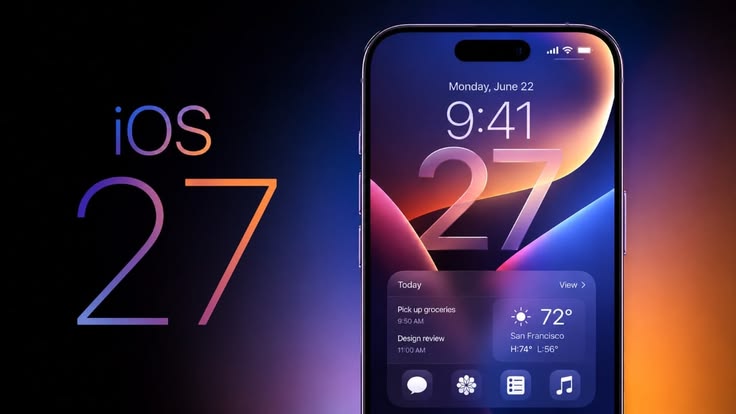
Introducing the new and powerful update of iOS 27, Apple’s most ambitious release yet. Packed with AI‑powered Siri, enhanced Camera and Photos apps, foldable iPhone support, accessibility upgrades, and performance improvements, iOS 27 redefines mobile innovation. Explore specifications, updates, and advantages that make iOS 27 the ultimate leap forward in 2026.
Table of Contents
Introduction: What’s new in iOS 27?
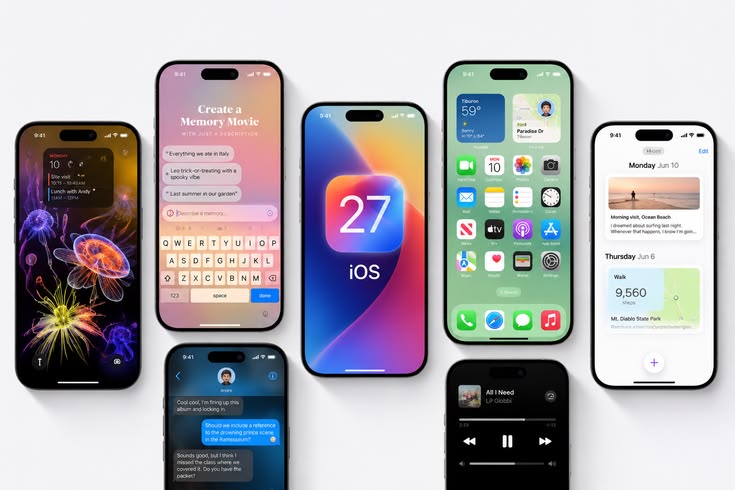
The iOS 27 Update marks Apple’s boldest step forward in mobile innovation. Designed to deliver a smarter, faster, and more intuitive experience, iOS 27 integrates advanced AI capabilities, enhanced performance, and a suite of new features that redefine how users interact with their devices.
With this release, Apple continues its tradition of blending cutting‑edge technology with user‑friendly design, ensuring that iOS 27 sets a new benchmark for mobile operating systems.
At its core, iOS 27 introduces a reimagined Siri powered by generative AI, offering conversational intelligence and contextual awareness that rivals leading AI assistants. The Camera and Photos apps receive professional‑grade upgrades, while accessibility features expand to include real‑time sign language interpretation and on‑device subtitles.
Performance improvements, battery efficiency, and streamlined multitasking make iOS 27 not only powerful but also practical for everyday use.
Apple has scheduled an event for iOS 27 on 8th June 2026 at 10:30PM IST and the beta versions will be available in next 7-10 days after the event. The update will support a wide range of devices, including the iPhone 15 series and newer, select iPads, and upcoming foldable iPhone models.
By ensuring backward compatibility while optimizing for next‑generation hardware, Apple guarantees that millions of users worldwide can benefit from the innovations packed into iOS 27.
AI‑Powered Siri Overhaul
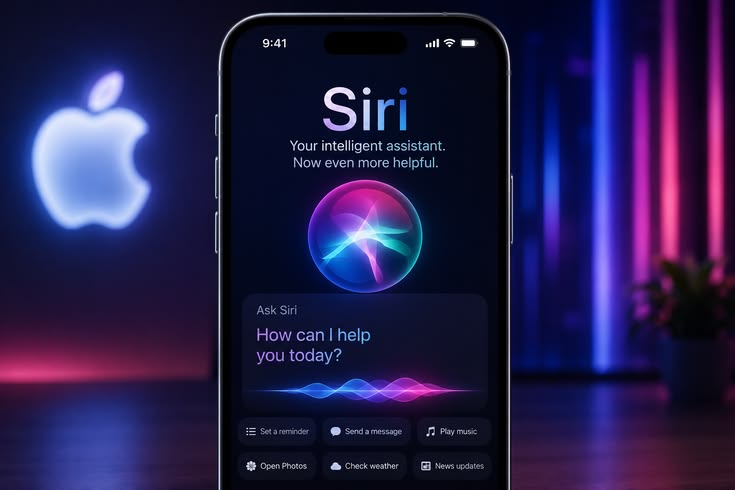
The iOS 27 update introduces a revolutionary transformation of Siri, making it smarter, faster, and more intuitive than ever before. Apple has designed Siri to function as a true AI companion, capable of handling complex queries and delivering personalized insights with precision.
This overhaul sets a new benchmark for mobile assistants, ensuring that Siri is not just reactive but proactively helpful in everyday tasks.
With the iOS 27 update, Apple has introduced a major leap forward by giving Siri its own dedicated app. This marks a turning point in how users interact with their devices, transforming Siri from a background voice assistant into a central hub for intelligent communication.
The new chatbot‑style interface is designed to make conversations feel natural and fluid. Instead of short, command‑based interactions, users can now engage in extended dialogues with Siri, receiving contextual responses that adapt to their needs. The interface is sleek, minimal, and easy to navigate, ensuring that even complex tasks can be handled with simplicity.
One of the standout features is the integration of contextual cards, which provide instant access to relevant information such as schedules, reminders, app suggestions, or personalized recommendations. These cards appear dynamically within the conversation, allowing users to act quickly without leaving the chat environment. This design makes Siri not just a voice assistant but a personalized productivity companion.
By centralizing Siri into its own app, sets a new standard for mobile AI. It positions Siri as a direct competitor to advanced platforms like ChatGPT, Claude, and Gemini, while maintaining Apple’s signature focus on privacy, ecosystem integration, and user experience. The result is an assistant that feels more human‑like, more responsive, and more capable of adapting to everyday life.
One of the most defining aspects of Apple’s emphasis on conversational design. Siri has been re‑engineered to move beyond simple command‑based interactions, allowing users to engage in fluid, natural conversations. This means that instead of repeating queries or rephrasing instructions, users can continue a dialogue with Siri, and the assistant will understand the context of previous exchanges. This conversational intelligence makes Siri feel more human‑like, intuitive, and reliable in everyday use.
A key element of this redesign is the introduction of contextual cards. These dynamic cards appear directly within the Siri interface, offering instant access to relevant information without requiring users to switch apps. For example, if you ask Siri about your schedule, a card will display upcoming meetings with options to reschedule or add reminders. Similarly, asking about travel updates can generate cards with flight details, maps, or app suggestions. By embedding actionable insights into the conversation, contextual cards transform Siri into a central hub for productivity and personalization.
Together, conversational design and contextual cards elevate Siri from a reactive assistant to a proactive companion. The experience is seamless, intelligent, and tailored to user needs, setting a new standard for mobile AI and reinforcing Apple’s vision of making technology feel more natural and accessible.
With the update, Apple has positioned Siri as a direct competitor to leading AI platforms such as ChatGPT, Claude, and Gemini. This strategic move reflects Apple’s ambition to redefine mobile AI by integrating generative intelligence directly into its ecosystem.
Unlike earlier versions, Siri in iOS 27 is no longer limited to simple voice commands. It now leverages advanced generative AI to deliver contextual, adaptive, and creative responses. This allows Siri to handle complex queries, maintain conversational flow, and provide personalized insights and capabilities that bring it closer to the conversational depth offered by ChatGPT and Claude.
Where Siri distinguishes itself is in its ecosystem integration. While ChatGPT, Claude, and Gemini operate as standalone AI platforms, Siri is deeply embedded within Apple’s hardware and software environment. This means users benefit from seamless access to apps, schedules, reminders, and device‑specific features, all within a secure and privacy‑focused framework.
Apple’s approach also emphasizes user experience and accessibility. With contextual cards, proactive suggestions, and a dedicated chatbot‑style interface, Siri in iOS 27 feels more intuitive and human‑like. By combining generative AI with Apple’s design philosophy, Siri offers a unique balance of intelligence, usability, and trustworthiness.
In essence, iOS 27 elevates Siri into the same competitive space as ChatGPT, Claude, and Gemini, while differentiating itself through ecosystem synergy, privacy safeguards, and a focus on everyday productivity. This positions Siri not just as an alternative, but as a powerful contender in the AI race.
Camera and Photos Enhancements in iOS 27
The iOS 27 update brings significant improvements to the Camera and Photos experience, making it more powerful and user‑friendly. Apple has focused on combining advanced AI with practical tools so that users can capture, edit, and organize their memories with greater precision and ease.
- Visual Intelligence in Camera & Photos
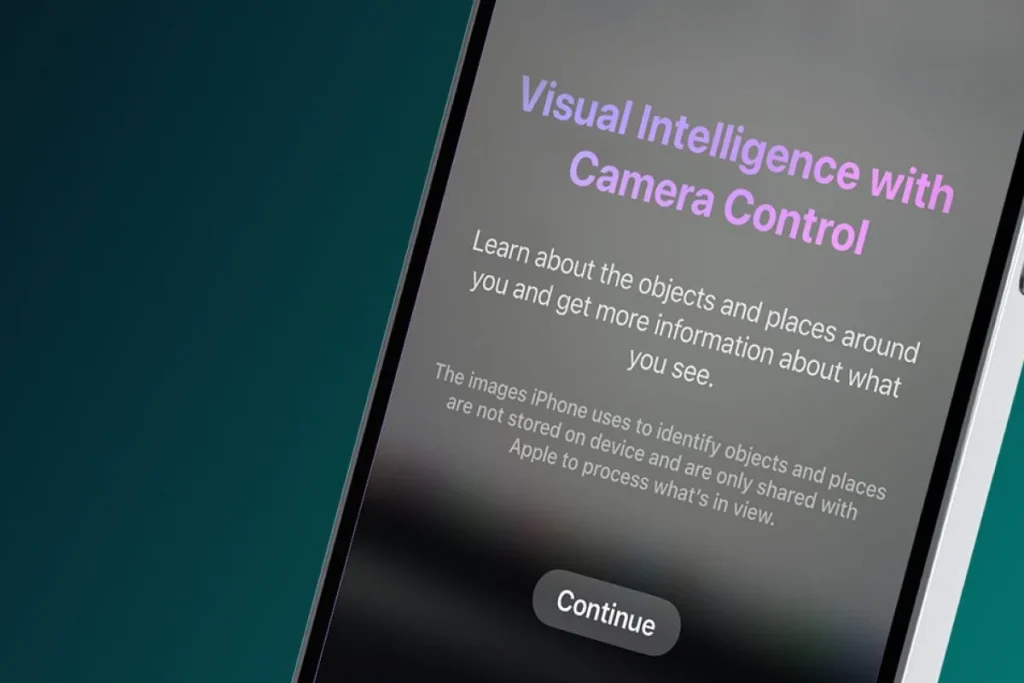
The iOS 27 introduces Visual Intelligence, a powerful AI‑driven feature that transforms how users capture and manage photos. This integration allows the Camera and Photos apps to recognize objects, people, and scenes in real time, offering smart suggestions for framing, lighting, and composition. By analyzing the environment instantly, Visual Intelligence ensures that every shot is optimized for clarity and quality without requiring manual adjustments.
In the Camera app, Visual Intelligence enhances usability by guiding users with subtle prompts, such as adjusting angles for better focus or recommending modes like Portrait or Night Mode. These intelligent cues make photography more accessible to casual users while still providing professional‑grade results.
Within the Photos app, Visual Intelligence improves organization and search. Users can now locate images by context, such as “birthday party,” “beach trip,” or “sunset,” thanks to AI‑powered categorization. This feature also supports smarter editing workflows, where the system can suggest enhancements or highlight tools like Extend and Reframe for creative adjustments.
By embedding Visual Intelligence into both capturing and editing, iOS 27 ensures that photography is not only more intuitive but also more powerful. It bridges the gap between professional tools and everyday usability, making the Camera and Photos apps central to Apple’s vision of intelligent mobile experiences.
- Customizable Camera Widgets and Pro Controls
The new update enhances the Camera app with customizable widgets and pro‑level controls, giving users more flexibility and precision than ever before. These upgrades are designed to make photography accessible to casual users while empowering professionals with advanced tools.
Widgets in the Camera app can now be tailored to individual preferences. Users can pin their most‑used modes, such as Portrait, Night Mode, or Pro settings directly to the home screen or within the app interface. This customization reduces the time spent navigating menus and ensures that favorite features are always just a tap away.
For photography enthusiasts, iOS 27 introduces manual adjustments that rival professional cameras. Users can fine‑tune settings like ISO, shutter speed, exposure, and focus, giving them complete creative control over their shots. These pro‑level controls are integrated seamlessly into the Camera interface, making them easy to access without overwhelming beginners.
- Extend and Reframe Tools in Photos
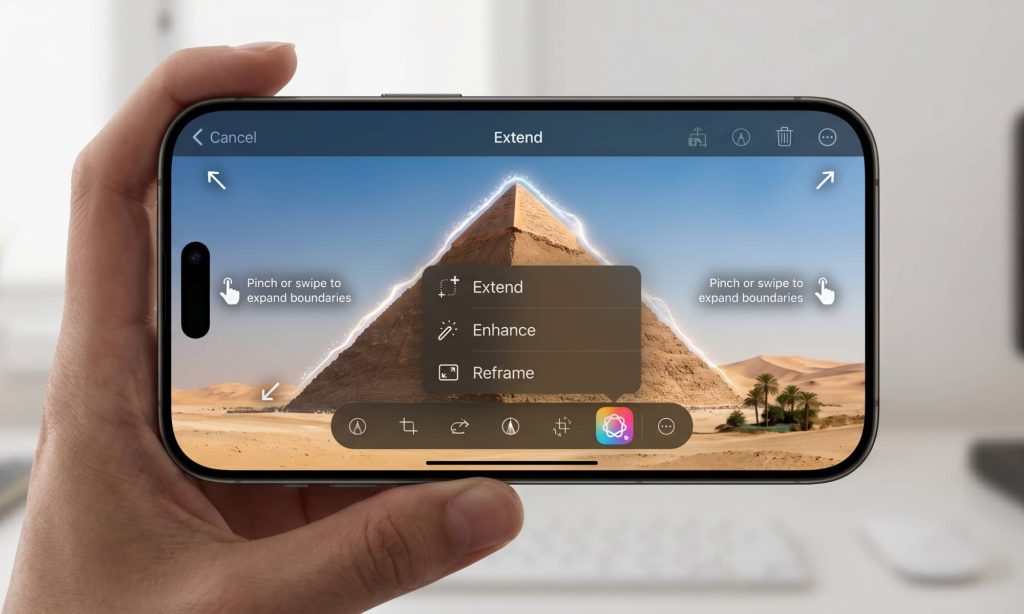
The update introduces two powerful editing features in the Photos app Extend and Reframe which is designed to make photo editing more intuitive and professional. These tools are powered by Apple’s advanced AI, ensuring that edits look natural while giving users more creative control.
The Extend tool allows users to expand the background of an image seamlessly. Whether it’s adding more sky to a landscape or extending the edges of a group photo, the AI intelligently fills in the extra space with realistic details. This feature is especially useful for improving composition or adapting images for different formats, such as social media posts or wallpapers.
The Reframe tool helps users adjust the composition of their photos without losing quality. By intelligently repositioning subjects and balancing the frame, Reframe ensures that images look polished and professional. It’s particularly valuable for correcting off‑center shots or adapting photos to fit specific aspect ratios.
Foldable iPhone Compatibility
The iOS 27 has been carefully optimized to support Apple’s upcoming foldable iPhone models, ensuring that users enjoy a smooth and productive experience on flexible displays. This compatibility is not just about adapting the interface as it’s about rethinking how multitasking and usability work on foldable devices.
- Dual‑Screen Multitasking
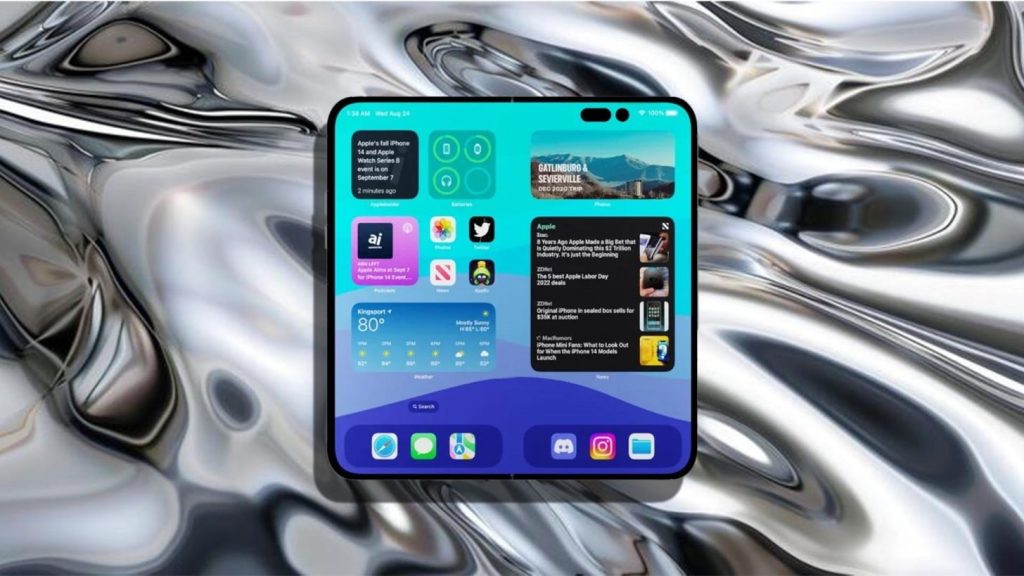
The iOS 27 has been optimized to take full advantage of foldable iPhone hardware, introducing a refined dual‑screen multitasking experience. This feature allows users to run two apps side by side, making it easier to manage tasks without constantly switching between applications. For example, you can browse the web on one screen while taking notes on the other, or watch a video while chatting with friends simultaneously.
Apple has designed the multitasking interface to be adaptive and responsive, automatically adjusting layouts depending on whether the device is folded or fully opened. The system intelligently resizes apps, ensuring that both screens remain functional and easy to navigate. Drag‑and‑drop support between apps further enhances productivity, allowing users to move text, images, or files seamlessly across screens.
By integrating dual‑screen multitasking, iOS 27 transforms the foldable iPhone into a versatile productivity tool. It bridges the gap between mobile convenience and desktop‑style functionality, giving users the flexibility to work, create, and entertain themselves more efficiently. This innovation highlights Apple’s commitment to making foldable devices not just a hardware novelty but a practical everyday solution.
- Sidebar Layouts

The new iOS 27 introduces sidebar layouts designed specifically for foldable iPhones, bringing an experience closer to what users enjoy on iPadOS. This feature takes advantage of the larger screen space available on foldable devices, making multitasking and navigation more efficient.
Sidebar layouts allow users to keep menus, tools, or secondary apps accessible while working within their main application. For example, while editing a document, the sidebar can display messaging apps or calendar events, enabling quick switching without disrupting the workflow. This design ensures that users can manage multiple tasks seamlessly.
By adopting sidebar layouts, iOS 27 delivers an iPad‑like experience on foldable iPhones. The interface feels familiar to those who use iPads, with multitasking features such as split‑view and quick access panels. This makes the foldable iPhone more versatile, bridging the gap between mobile convenience and tablet‑style functionality.
The sidebar adapts intelligently depending on whether the device is folded or fully opened. When folded, the layout minimizes to preserve usability, while in the unfolded state, it expands to provide full access to tools and apps. This adaptive design ensures consistency and ease of use across different modes.
By integrating sidebar layouts, iOS 27 enhances usability on foldable iPhones, making them more practical for productivity, entertainment, and everyday tasks. It reflects Apple’s focus on creating interfaces that are both powerful and simple to use.
Accessibility Innovations in iOS 27
The iOS 27 Update places a strong emphasis on accessibility, ensuring that Apple devices remain inclusive and usable for everyone. With new features powered by AI and thoughtful design improvements, iOS 27 makes communication, navigation, and control more seamless for users with diverse needs.
- On‑Device Subtitle Generation in iOS 27

The iOS 27 introduces on‑device subtitle generation, a feature designed to make communication and media consumption more accessible and private. Unlike cloud‑based solutions, this capability works directly on the device, ensuring faster performance and stronger data protection.
With on‑device subtitle generation, users can receive real‑time captions for videos, FaceTime calls, and live content. This is especially valuable for individuals who are deaf or hard of hearing, or for anyone who prefers captions for clarity in noisy environments. Because the subtitles are generated locally, the process is smooth, responsive, and does not rely on an internet connection.
Apple has also integrated this feature across the ecosystem, meaning subtitles can be applied consistently in apps, streaming services, and communication tools. Combined with other accessibility innovations in iOS 27, such as the Sign Language Interpretation API and Enhanced Voiceover, Magnifier, and Voice Control, on‑device subtitle generation reflects Apple’s commitment to inclusivity and user empowerment.
By embedding subtitles directly into the operating system, the new update ensures that accessibility is not an optional add‑on but a core part of the user experience. This makes everyday communication more seamless, reliable, and inclusive for millions of users worldwide.
- Sign Language Interpretation API

The new update introduces a groundbreaking Sign Language Interpretation API within FaceTime, making video communication more inclusive and accessible. This feature enables real‑time translation of sign language during calls, allowing deaf and hard‑of‑hearing users to engage in conversations without barriers. By embedding this capability directly into FaceTime, Apple ensures that accessibility is not an add‑on but a core part of the communication experience.
Developers can also integrate the Sign Language Interpretation API into third‑party apps, extending its usefulness beyond FaceTime. This opens opportunities for educational platforms, workplace collaboration tools, and social apps to provide inclusive communication features. The API leverages Apple’s advanced AI to interpret gestures accurately, ensuring smooth and natural translations that enhance understanding between participants.
By combining this innovation with other accessibility features such as on‑device Subtitle Generation and Enhanced Voiceover, Magnifier, and Voice Control, iOS 27 sets a new benchmark for inclusivity. Apple’s approach ensures that technology adapts to diverse needs, empowering users to communicate confidently and effectively.
- Enhanced Voiceover, Magnifier, and Voice Control
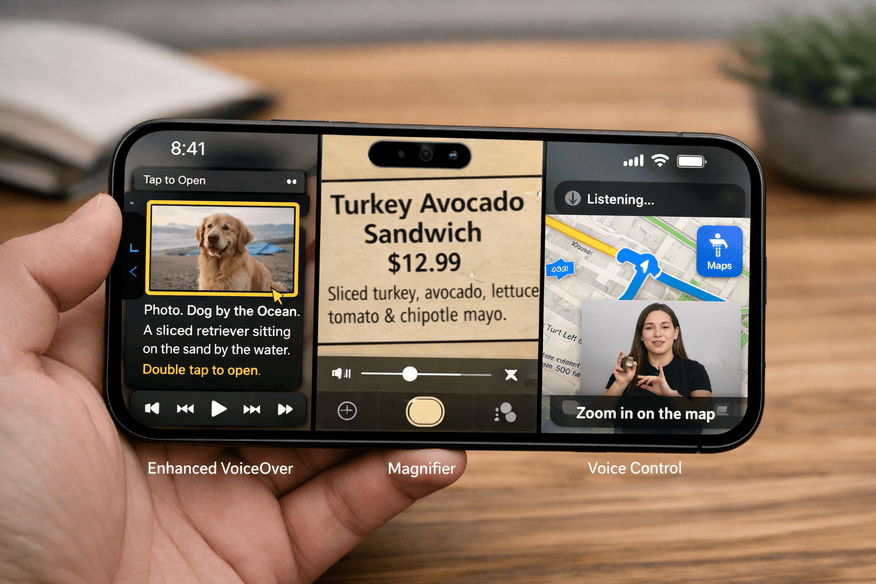
The update delivers major improvements to Apple’s core accessibility tools, ensuring that users with diverse needs can interact with their devices more effectively. These refinements make every-day navigation smoother, more intuitive, and more reliable.
VoiceOver in iOS 27 has been upgraded with more natural speech patterns and improved contextual awareness. The system can now better describe on‑screen elements, including dynamic content such as charts, images, and live updates. This ensures that visually impaired users receive clearer and more accurate information, making apps and media easier to use.
The Magnifier tool has been enhanced with sharper zoom capabilities and smarter detection features. It can now identify objects, text, and people with greater accuracy, helping low‑vision users interact with their surroundings more confidently. The improved interface also makes it easier to adjust zoom levels and switch between detection modes.
Voice Control in iOS 27 has been refined to deliver faster and more precise command recognition. Users can navigate apps, compose messages, and control system functions entirely through spoken instructions. The system now supports more complex commands and better contextual understanding, reducing errors and making voice‑based navigation more practical.
Together, these enhancements ensure that iOS 27 is not only more powerful but also more inclusive. By improving Voiceover, Magnifier, and Voice Control, Apple continues to set a high standard for accessibility, making technology usable and empowering for everyone.
Performance and Efficiency in iOS 27
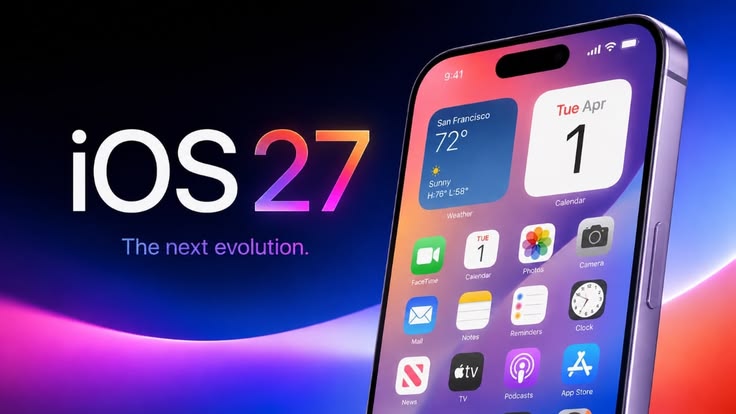
This update focuses heavily on improving overall system performance and efficiency, ensuring that devices run faster and last longer on a single charge. Apple has streamlined the operating system by addressing long‑standing issues, removing outdated code, and applying critical bug fixes. These optimizations reduce background resource usage, making the system more stable and responsive.
With these refinements, users experience faster performance across everyday tasks such as app launches, multitasking, and navigation. The operating system is designed to deliver smoother animations and quicker transitions, creating a more fluid user experience.
Battery life also benefits from these improvements. By reducing unnecessary processes and optimizing power management, iOS 27 helps devices maintain better energy efficiency. This means users can rely on longer usage times without sacrificing performance, whether they are working, streaming, or gaming.
Together, bug fixes, outdated code removal, and system optimizations make iOS 27 one of the most reliable updates yet. It balances speed with efficiency, ensuring that devices remain powerful while conserving battery life.
Advantages of iOS 27
- Siri gains conversational intelligence with contextual cards, while Visual Intelligence enhances Camera and Photos. Together, these features create a connected AI ecosystem that adapts to user needs and improves productivity.
- iOS 27 is optimized for iPhones, iPads, and foldable models. Features like dual‑screen multitasking, sidebar layouts, and customizable Camera widgets make navigation smoother and more efficient across different devices.
- With outdated code removed, bug fixes applied, and foldable compatibility introduced, iOS 27 is built to support upcoming hardware trends. This ensures long‑term reliability while preparing users for future innovations.
Key Security Enhancements
- Apple has re‑engineered how iPhones handle cellular and Wi‑Fi connections. Every app must re‑authenticate its network access per session, reducing risks from persistent trust tokens.
- iOS 27 introduces native per‑app VPN support, giving users and enterprises granular control over how data is routed.
- Connections using outdated encryption protocols are automatically flagged and blocked, ensuring stronger protection against legacy vulnerabilities
Privacy Innovations
- Apple continues to prioritize local processing for sensitive tasks like Siri requests, photo categorization, and dictation. This ensures personal data stays on the device whenever possible.
- When cloud processing is required, Apple uses a stateless, privacy‑first infrastructure that prevents Apple itself from accessing user data.
- Users can choose external AI models like ChatGPT, Claude, or Gemini to power Siri and other features.
- Apple has committed to clearer disclosures about how Siri data is processed, especially when third‑party AI engines are involved.
Final Thoughts on iOS 27
The iOS 27 represents a major step forward in Apple’s ecosystem, blending performance, accessibility, and innovation into a unified experience. By introducing smarter AI features, foldable iPhone compatibility, and advanced accessibility tools, Apple has ensured that it is not just an incremental update but a foundation for the future of mobile technology.
From Visual Intelligence in Camera and Photos to dual‑screen multitasking and sidebar layouts, the update enhances usability across devices. Accessibility innovations like the Sign Language Interpretation API and on‑device subtitle generation make communication more inclusive, while performance improvements ensure faster, more efficient operation with better battery life.
Most importantly, security and privacy enhancements reinforce Apple’s commitment to protecting user data in an increasingly AI‑driven world. By combining innovation with reliability, iOS 27 positions itself as a future‑ready platform that adapts to new hardware trends while maintaining Apple’s hallmark simplicity.
In short, iOS 27 is not just an update, it’s a blueprint for the next generation of mobile experiences, balancing smarter AI, improved usability, and stronger privacy protections to meet the evolving needs of users worldwide.
FAQs
What is Visual Intelligence?
It’s an AI feature that improves photo capturing and editing by recognizing objects, people, and scenes in real time.
How does dual‑screen multitasking work?
Users can run two apps side by side, drag and drop content, and switch seamlessly between tasks on foldable devices.
What are sidebar layouts?
Sidebar layouts provide iPad‑like experiences, keeping menus and tools accessible while working within main apps.
What is on‑device subtitle generation?
It creates real‑time captions directly on the device, ensuring faster performance and stronger privacy.
How has VoiceOver improved?
VoiceOver now offers more natural speech, better contextual awareness, and smoother navigation for visually impaired users.


