

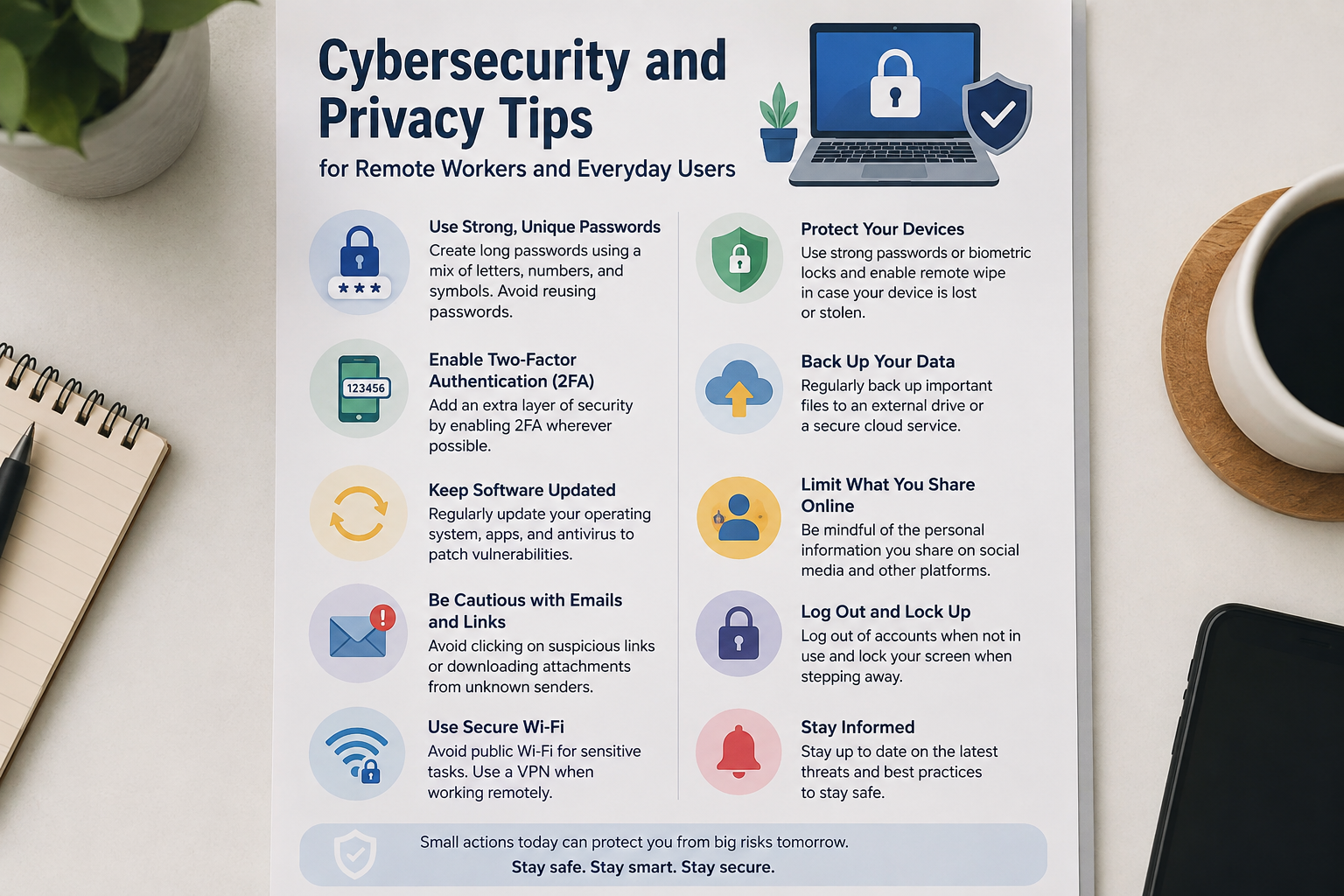
As we navigate our lives online and rely more on being able to conduct our daily tasks from the comfort of our own homes, our email accounts contain important work documents; we pay bills from our phones, save our family photos in the cloud, and juggle between our personal and work computers and accounts. Our lives revolve around the internet and cybersecurity.
The good news is that most common online security issues can be prevented; all it takes is an average Internet user to put in a little effort and follow the cybersecurity and privacy tips below.
Don’t reuse passwords.
It can be cumbersome to make sure you have unique and strong passwords for every site you use,e but in the long run, it can save you a lot of trouble.le
If you have all your social media, shopping, and email accounts on the same password and one of these sites gets hacked, it will be a lot easier for someone to get into your other accounts. To prevent this from happening, make sure all your accounts have unique and strong passwords. If you are having trouble coming up with a strong password or want to save them all in one place, you can opt for using a password manager
Your emails, in particular, should have a strong password, as they may be used as a reset option for your other accounts.s
Turn on two-factor (multi-factor) authentication
Two-factor (or multi-factor) authentication is what it sounds like;ke, it is an additional security measure for your accounts.
All it requires is that you approve a notification sent to your phone or enter a code sent to your phone or an authentication app.
Keep your devices up to date
Although it may be annoying to update your device or phone when you have pending updates, it is very important to keep your devices updated. This way, you have the latest security updates and fixes.
Malicious attackers and hackers target weaknesses in your operating system, so make sure you keep them patched
It is crucial to update your browser, as it is what you use to access the internet, so you want to make sure you are not using an outdated and vulnerable browser that can be easily hacked. Update your phone’s operating system as well,l and any applications you use, especially your video conferencing app if you work from home
If you have anti-virus or firewall software, you should update it periodically
If you have automatic updates turned on for your phone or computer, make sure you do not ignore your operating system updates and browser and follow your company’s IT policy for work devices.
Avoid suspicious emails
Avoid opening links sent to you from suspicious emails and social media accounts, and always verify any strange requests.t
Apply this not only to your personal emails but work emails as well. If you get a strange email from a work colleague asking you to do something out-of-the-ordinary, make sure to ask them for clarification before acting on the email.
Secure your WiFi network
If you work from home or access the internet from your home, make sure to secure your WiFi network.
First and foremost, if you have not yet changed your WiFi administrator password, make sure to change it,
set a strong password for your WiFi, and enable WPA2 or WPA3 encryption for better security.
Avoid sharing your WiFi password with people you do not know, and if your WiFi router allows, set a guest network for people visiting your house so they can connect to the internet without using your main network. Make sure to update your WiFi router if it allows for updates as well, which is common, so consider setting aside time to do this if it has been a while
You might also want to upgrade your WiFi router if it is an older model and is no longer supported.
Avoid using public WiFi networks.
Public WiFi networks can make for convenient and reliable connections while working from home but can expose you to many malicious activities.s
It is highly advised to avoid using public or free WiFi networks as much as possible, especially for work. You should also avoid using public WiFi networks for work, as they can be insecure as well.
Never connect to suspicious networks,s and make sure to avoid connecting to networks that you are not familiar with
If you have to connect to a public WiFi network, make sure to disable the WiFi auto-connect feature so your phone or device does not automatically connect to it
Keep work and personal devices and accounts separate
Working from home can blur the lines between your work and personal life
You may want to check your personal emails on your work computer or do some personal tasks on your work computer. It is highly advised that you avoid this, as it can be very dangerous and compromise your work and personal data. It is also very important to avoid saving your work-related documents on your personal cloud drive or phone; keep your work and personal data separate to ensure that they do not get mixed up together.
Avoid oversharing on social media.
Your social media accounts are probably one of the most important accounts you have, ve but many people tend to forget how much information they put on them, which can be very dangerous. rous
It is best to avoid putting out too much information on your social media accounts so malicious attackers cannot gather enough intel on you to impersonate you or threaten you in any way.
Avoid posting photos of your credit cards or other important documents, information regarding your job, and whereabouts when you are out of town, etc. If you are ever in doubt whether something should be posted online or not, it is best to ask yourself how you would feel if someone saw it. If you do not feel comfortable, then avoid posting it.
Be careful with QR codes.s
QR Codes can be found everywhere nowadays, ys as many businesses and organizations use them for advertising, linking to sites, etc.
However, many evil attackers use QR codes to link to phishing websites that can compromise your accounts.nts
Before visiting a website through a QR code, make sure to verify that the address of the website is not suspicious in any way.
Be careful when downloading browser extensions.
Browser extensions can be very convenient, but they can also put you at risk.
Delete extensions you are no longer using or do not feel comfortable with
The same goes for programs you download; avoid downloading any programs from suspicious websites, and be wary if a website prompts you to disable your antivirus
Think twice before using AI to your advantage
AI is all the rage nowadays as it offers many convenience features for a wide array of tasks, from writing essays or emails to coding programs or applications. Avoid using AI to summarize, write, or store confidential company or personal data or private information unless you are sure that it is safe to do so. For work-related AI use, make sure to review and abide by your company’s AI policy. A good rule of thumb is that if you would not type it into a website, then you should not type it into an AI program.
Keep backups of your valuable data.
Although following all the above cybersecurity and privacy tips can reduce the risk of experiencing data loss, there will always be times when your devices will malfunction, and your data will be lost nonetheless, or other unforeseen circumstances such as ransomware infection.s
Keeping backups of your data can help immensely in making sure you are able to recover your data and files if something were to happen to your devices. The same goes for work-related data and files, making sure you always have access to your work if something were to happen. Depending on your situation, you may want to back up your data to the cloud or on an external hard drive, or both. After all, it is always best to have multiple data backups. After all, a backup is only good if it works!
Avoid social engineering
Unfortunately, social engineering is a thing and can be even more dangerous than phishing or ransomware attacks because they rely on tricking you into giving out information rather than attacking your device.s
Social engineering attacks vary from fake phone calls to suspicious emails
A social engineer can call and pose as your manager and ask you to buy company gift cards, ds or call and pose as your tech support and ask for your password.
Conduct a monthly cybersecurity sweep.
Rather than stressing about cybersecurity every day, do a monthly cybersecurity sweep and make sure things are in order
During your monthly cybersecurity sweep, you can go through your accounts and make sure that two-factor authentication is on
Delete any apps you are not using and browser extensions you are using.g
Make sure your devices are receiving any system updates and review your social media privacy settings. Make sure your important files are backed up during your monthly cybersecurity sweep, and if you work from home, make sure your work computer is compliant with your company’s IT policy. Your monthly cybersecurity sweep may just consist of making sure your accounts are all set, passwords are safe, and files are backed up.
Final Thoughts
Although cybersecurity can seem very daunting and complicated considering the number of threats you can encounter online, from phishing to ransomware, it can be very simple to have a baseline degree of cybersecurity. If you are a remote worker, make sure to keep your work and personal devices and accounts separate and always abide by good cybersecurity practices at work as well. Although it may be almost impossible to protect yourself 100%, good cybersecurity practices can ensure that you are as protected as you can be
After all, good cybersecurity practices come down to developing good habits and routines that help protect you and your data.


[…] businesses become more dependent on digital systems, cyber security is becoming an increasingly important part of IT strategy.Cyber attacks can target applications, […]