

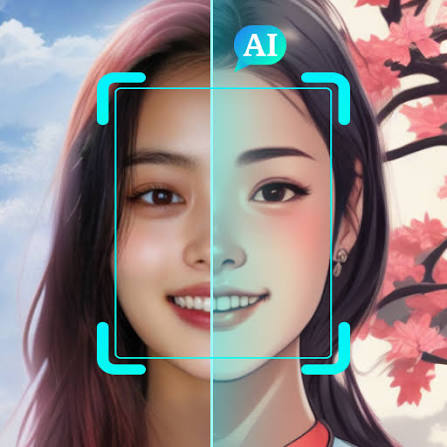
Have you ever taken what should have been a perfect photo, only to find that the lighting is terrible, the background is distracting, or someone accidentally blinked? In the past, fixing these problems often meant spending a lot of time learning complicated photo-editing software. Today, AI photo editing has changed the way we improve our pictures. With artificial intelligence, even beginners can make significant improvements to their photos with just a few clicks. Modern AI-powered editing tools can remove unwanted objects, improve image quality, replace backgrounds, correct lighting, sharpen blurry details, and even transform the overall appearance of a photograph.
The best part is that you do not necessarily need professional editing skills. Many AI photo editing platforms are designed to understand what needs to be changed and automatically make adjustments for you. Whether you are a content creator, student, photographer, business owner, social media user, or simply someone who wants better-looking personal photos, these tools can save you considerable time. In this guide, we will explore 6 incredible AI photo editing tools that can help turn disappointing shots into polished images.
Table of Contents
What Is AI Photo Editing?
What Is AI Photo Editing?
AI photo editing refers to the use of artificial intelligence and machine-learning technologies to modify, enhance, or transform digital photographs. Traditional photo editing often requires users to manually adjust settings such as brightness, contrast, saturation, exposure, sharpness, and color balance. More advanced edits may require selecting individual objects, creating masks, working with layers, or using complicated tools. AI can automate many of these processes.
Instead of manually selecting an object in a photograph, for example, an AI-powered editor can identify the object automatically. Similarly, AI can recognize a person, background, sky, building, or other element and make appropriate adjustments. Depending on the tool, AI-powered features can include:
- Automatic image enhancement
- Object removal
- Background removal
- Background replacement
- Image upscaling
- Blur reduction
- Portrait enhancement
- Sky replacement
- Generative image editing
- Lighting correction
- Noise reduction
- Color enhancement
- Face retouching
- Image restoration
- This makes AI photo editing useful for both beginners and experienced photographers.
Why Is AI Photo Editing Becoming So Popular?
Photo editing has existed for decades, but AI has made the process much faster and easier. Previously, fixing a complicated photograph could require several editing steps. Users might have needed to carefully select an object, remove it, repair the surrounding background, adjust colors, and then sharpen the final image. AI can often perform several of these tasks automatically.
- It Saves Time
One of the biggest advantages of AI photo editing is speed. An edit that could previously take several minutes or even longer can sometimes be completed in seconds. This is especially useful for people who need to edit large numbers of photographs.
- It Is Beginner-Friendly
You do not need to be an expert photographer to use many AI-powered editing tools.Features are often available through simple buttons, sliders, prompts, or automatic enhancement options.
- It Can Fix Common Photography Problems
AI tools can address many common problems, including:
- Poor lighting
- Low resolution
- Unwanted objects
- Distracting backgrounds
- Slight blur
- Uneven colors
- Red eyes
- Noise
- Dull-looking portraits
- It Supports Creative Editing
AI is not limited to correcting mistakes. Many tools can also generate or modify backgrounds, change visual styles, expand images, and create entirely new compositions. Now, let’s look at six tools that have made AI photo editing considerably more accessible.
6 Best AI Photo Editing Tools
Adobe Photoshop
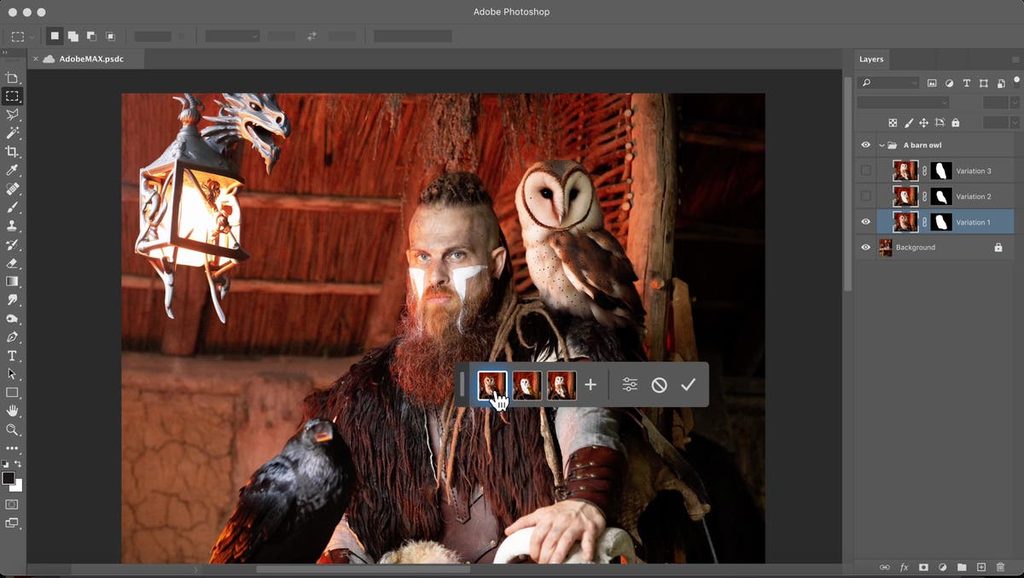
When people think about professional photo editing, Adobe Photoshop is often one of the first names that comes to mind. The software has traditionally been associated with advanced manual editing, but AI-powered features have made many tasks considerably easier. Photoshop includes generative and intelligent editing features that can help users modify photographs using relatively simple instructions. For example, you can select part of an image and use generative features to add, remove, or modify visual elements. Photoshop can then generate content that fits the surrounding image.
What Can You Do With Photoshop AI?
Depending on the available version and features, Photoshop can help with tasks such as:
- Removing unwanted objects
- Generating image elements
- Extending an image beyond its original boundaries
- Replacing or modifying backgrounds
- Retouching photographs
- Improving compositions
- Making selective edits
One particularly useful feature is generative expansion. Imagine taking a landscape photograph where the composition feels too tightly cropped. Instead of simply stretching the existing image, AI can generate additional content around the original photograph.
Why Choose Photoshop?
Photoshop is particularly useful for users who want both AI automation and traditional editing control. You can start with an automatic AI adjustment and then manually refine the result. This combination makes Photoshop suitable for photographers, graphic designers, marketers, and content creators.
Best For
Professional photographers, designers, creators, and advanced users.
Possible Limitation
Photoshop has a larger learning curve than many simple mobile editing applications. Some AI features may also depend on the user’s Adobe plan and available generative credits.
Canva
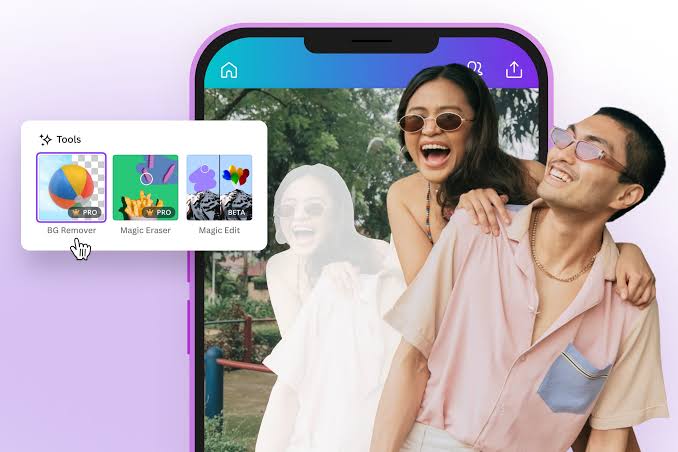
Canva is widely known as a simple graphic-design platform, but its AI capabilities have expanded significantly. For people who want to edit photographs without learning complicated professional software, Canva can be a convenient option. Its AI-powered tools can assist with image editing, background removal, object manipulation, and other creative tasks.
What Makes Canva Useful?
Canva combines photo editing with design.
That means you can edit a photograph and immediately use it in:
- Instagram posts
- Posters
- Presentations
- Blog graphics
- YouTube thumbnails
- Advertisements
- Invitations
- Social media banners
This makes Canva particularly useful for creators who need more than just photo correction.
AI Features
Depending on the current Canva plan and feature availability, users may find tools for:
- Background removal
- Magic editing
- Object removal
- Generative image creation
- Image enhancement
- Background generation
- Resize and design adaptation
For example, if you have a product photograph with a plain background, you can remove the background and place the product into a completely different design.
Why Choose Canva?
The biggest advantage is simplicity.
You can upload a photograph, apply an AI-powered edit, and then continue designing without switching between multiple applications.
Best For
Students, bloggers, social media creators, small businesses, and beginners.
Possible Limitation
Some advanced AI features may require a paid Canva plan or have usage limits.
Google Photos
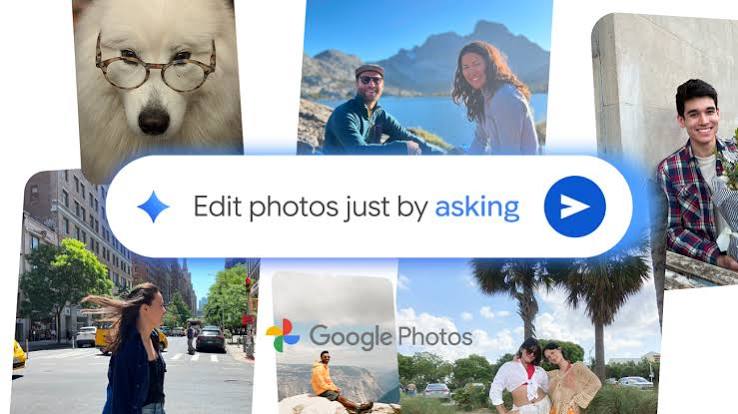
Google Photos is more than a cloud-based photo storage service. It has increasingly incorporated intelligent editing features that can help users improve everyday photographs. For casual photographers, this can be especially convenient because photos may already be stored inside the application. Instead of exporting a photograph to a separate professional editing program, users can make adjustments directly within the ecosystem.
What Can Google Photos Help With?
Depending on device, account, and feature availability, Google Photos can provide tools for:
- Removing unwanted distractions
- Improving lighting
- Enhancing colors
- Adjusting portraits
- Blurring backgrounds
- Making selective corrections
- Improving overall image appearance
Some newer intelligent editing features can analyze a photograph and suggest improvements.
Why Is It Useful?
The major advantage is convenience. Suppose you took a vacation photograph and noticed a distracting person in the background. Instead of opening a complicated editing program, an available AI-powered removal feature can potentially help you clean up the image. Similarly, if a photograph looks slightly dull, automatic enhancement can make it appear more balanced.
Best For
Everyday smartphone photographers and people who want quick edits.
Possible Limitation
Advanced features and availability can vary depending on the device, region, and Google Photos version.
Pixlr
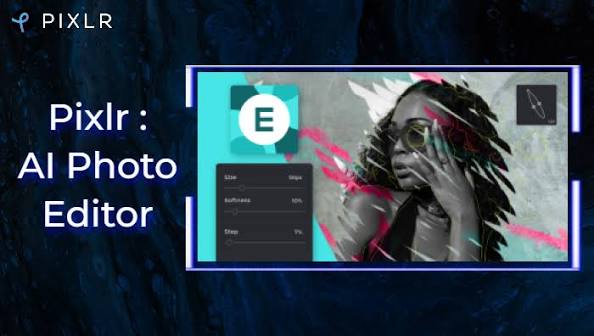
Pixlr is an online photo-editing platform that provides a mixture of traditional editing tools and AI-powered features. Because it works through the web, it can be useful for people who do not want to install large editing software.
AI Features in Pixlr
Pixlr’s AI-focused tools can help with tasks such as:
- Background removal
- Object removal
- Generative image editing
- Image enhancement
- Background creation
- Creative effects
For example, you might have a portrait photograph where the background is cluttered. An AI background-removal tool can separate the subject from the background, allowing you to replace it with a cleaner environment.
Why Choose Pixlr?
Pixlr occupies an interesting middle ground. It offers more editing control than extremely basic mobile editors while remaining relatively accessible to beginners. Its browser-based approach also makes it convenient for users working across different devices.
Best For
Beginners, students, bloggers, and users who prefer browser-based editing.
Possible Limitation
Some features may be restricted by the plan you use, and AI-generated edits may require credits or have usage limitations.
Fotor
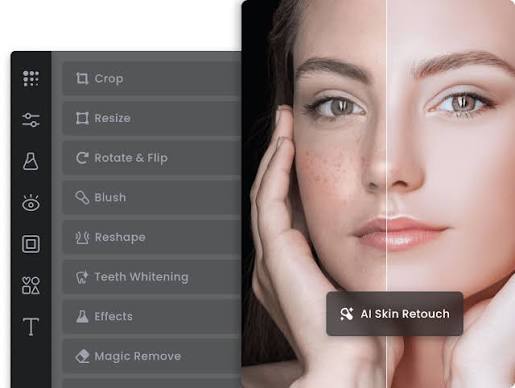
Fotor is another platform that combines conventional photo editing with AI-powered features. It is designed to make image enhancement and creative editing accessible without requiring extensive technical knowledge. For users who want to improve portraits, social-media photographs, or everyday pictures quickly, Fotor offers a variety of automated options.
What Can Fotor Do?
Its AI-powered capabilities can include:
- Image enhancement
- Background removal
- Object removal
- Portrait retouching
- Image upscaling
- Generative editing
- Creative effects
- Background replacement
One useful application is improving older or lower-quality photographs. If an image lacks detail or appears soft, an AI enhancement or upscaling tool may be able to reconstruct additional detail and produce a cleaner-looking result.
Why Choose Fotor?
Fotor is particularly appealing to users who want a straightforward editing experience.
Rather than manually adjusting every setting, you can use automated enhancement tools and then make additional corrections if necessary.
Best For
Social media users, casual photographers, bloggers, and beginners.
Possible Limitation
Some advanced functions may be available only through paid plans, while free users may encounter limitations on exports or AI usage.
Picsart
Picsart has become a popular platform for mobile-focused creative editing. Alongside conventional filters and adjustment tools, it offers AI-powered features for transforming photographs. It is particularly useful for people who enjoy creative and social-media-oriented editing.
What Can Picsart Do?
Depending on the features available in your version, Picsart can help with:
- Removing backgrounds
- Removing objects
- Enhancing images
- Creating AI-generated elements
- Applying creative effects
- Retouching portraits
- Changing backgrounds
- Creating stylized images
For example, you can take an ordinary portrait and experiment with different backgrounds or creative effects without manually constructing the entire composition.
Why Choose Picsart?
Picsart is particularly strong for users who want their photographs to look creative rather than simply corrected. It can be useful when preparing content for social platforms where visual style matters.
Best For
Social media creators, mobile users, and people who enjoy creative photo editing.
Possible Limitation
Some advanced AI features may require a subscription or consume limited credits.
How AI Phot Editing Can Fix Bad Photos
The biggest appeal of AI photo editing is its ability to address common photography problems quickly. Let’s look at some real-world examples.
- Removing Unwanted People
Imagine taking a beautiful photograph at a tourist destination, only to discover a stranger standing in the background. Traditional editing could require careful cloning or healing work. AI object-removal tools can identify the unwanted person and generate replacement content based on the surrounding environment. The result may not always be perfect, but modern tools can make this process significantly easier.
- Fixing Poor Lighting
A photograph taken indoors may appear too dark, while an outdoor photograph can sometimes have extremely bright highlights. AI enhancement tools can analyze the image and adjust multiple aspects automatically. This can include:
- Exposure
- Shadows
- Highlights
- Contrast
- Color
- Brightness
Instead of adjusting every setting separately, users can start with an automated correction and fine-tune the result afterward.
- Improving Blurry Photos
AI-powered enhancement can sometimes recover the appearance of detail from images that are slightly soft or low-resolution. However, there is an important limitation. AI cannot magically recreate the exact details that a camera never captured. When an image is extremely blurry, an AI tool may generate plausible-looking details rather than recover the original information. Therefore, AI enhancement should be viewed as an improvement tool rather than a guaranteed solution.
- Removing Distracting Backgrounds
Backgrounds can make or break a photograph. A cluttered room, random objects, or an unattractive wall can distract attention from the subject. AI background removal can identify the main subject and separate it from the surrounding environment. Once separated, you can place the subject against a different background.
- Improving Portraits
Portrait editing is another area where AI has become particularly useful. AI-powered tools can recognize facial features and provide automated adjustments. These may include:
- Skin correction
- Lighting adjustments
- Background blur
- Eye enhancement
- Minor facial retouching
- Overall portrait enhancement
The key is moderation. Over-editing can make a photograph appear unnatural, so subtle adjustments usually produce a more realistic result.
Benefits of Using AI Photo Editing Tools
AI photo editing provides several practical advantages.
Faster Editing
Automated tools can complete repetitive tasks much faster than manual editing.
Easier for Beginners
Users do not necessarily need advanced Photoshop knowledge to make significant improvements.
Accessible Across Devices
Many AI editors are available through smartphones and web browsers, making them convenient for everyday use.
Better Productivity
Content creators and businesses can process multiple images more efficiently.
Creative Possibilities
AI can go beyond correction and help users experiment with backgrounds, compositions, and visual concepts.
Helpful for Old Photographs
Some AI enhancement and restoration tools can improve the appearance of old, damaged, or low-resolution photographs.
Things to Consider Before Using AI Photo Editing Tools
Although AI photo editing is powerful, it is not perfect. Before relying on an AI editor, consider the following factors.
Privacy
Think carefully before uploading highly personal photographs to an online editing platform. Check the service’s privacy policy and understand how uploaded images are handled.
Accuracy
AI-generated edits can occasionally introduce strange details. Faces, hands, text, architecture, and repetitive patterns can sometimes be particularly challenging. Always inspect the final photograph carefully.
Artificial Appearance
Overusing AI enhancement can make photographs look unrealistic. For example, excessive skin smoothing can remove natural facial texture.
Cost
Many platforms offer free features, but advanced AI tools may require subscriptions, credits, or premium plans.
Export Quality
Check whether the free version allows high-resolution downloads if image quality is important to you.
How to Choose the Right AI Photo Editing Tool
There is no single tool that is perfect for every user. Your choice should depend on what you actually need.
Your Requirement with Suitable Type of Tool
Professional editing – Advanced desktop editor
Quick smartphone edits – Mobile photo editor
Social media designs – Design-focused platform
Background removal – AI background editor
Object removal – AI retouching tool
Online editing – Browser-based editor
Photo enhancement – AI enhancement platform
Creative effects – AI-focused mobile editor
If you are already comfortable with professional editing software, an advanced platform may give you more control. If you simply want to fix photographs quickly, a simpler AI editor may be more practical.
Tips for Getting Results With AI Photo Editing
Even the best AI tool works better when you provide a good starting image.
Start With the Highest-Quality Original
Avoid repeatedly editing and saving compressed versions of the same photograph. Whenever possible, work with the original image.
Make Small Changes
Instead of applying every AI feature at once, make one adjustment at a time. This makes it easier to identify what actually improves the photograph.
Check Faces Carefully
AI-generated edits can sometimes change facial details. Zoom in before exporting a portrait.
Avoid Excessive Retouching
Natural-looking photographs usually benefit from subtle adjustments.
Compare Before and After
Always compare your final version with the original. Sometimes an AI enhancement can appear impressive at first but look unnatural when viewed carefully.
Keep a Backup
Save your original photograph before applying major AI edits. This allows you to start again if an edit does not work.
Frequently asked Questions
Is AI photo editing free?
Some AI photo editing tools offer free versions or free features. However, advanced tools may require subscriptions, credits, or paid plans.
Can AI fix a completely blurry photo?
AI can improve some slightly blurry or low-resolution photographs, but it cannot guarantee recovery of details that were never captured by the original camera.
Is AI photo editing difficult to learn?
Many AI-powered editors are designed for beginners. Basic tasks such as background removal, object removal, and automatic enhancement can often be performed with minimal editing knowledge.
Can AI remove unwanted people from photographs?
Yes. Several modern AI editing tools include object-removal features that can identify unwanted people and reconstruct the surrounding background.
Is AI photo editing better than traditional editing?
AI and traditional editing serve different purposes. AI can automate many repetitive tasks, while traditional editing provides detailed manual control. Many users combine both approaches.
Can AI improve old photographs?
Yes. Certain AI-powered tools can enhance, sharpen, upscale, and restore older photographs. Results depend heavily on the original image quality.
Which AI photo editing tool should beginners use?
Beginners may prefer a tool with a simple interface and automatic editing features. The right choice depends on whether the primary requirement is photo enhancement, background removal, social-media design, or creative editing.
Conclusion
AI photo editing has made sophisticated image manipulation much more accessible. Tasks that once required considerable editing experience can now often be completed with a few clicks or simple instructions. From removing unwanted objects to improving lighting, enhancing portraits, replacing backgrounds, and increasing image quality, modern AI tools can solve many common photography problems.
Adobe Photoshop offers powerful AI capabilities alongside professional editing controls, while Canva combines AI photo editing with graphic design. Google Photos provides convenient intelligent editing for everyday photographs, Pixlr offers browser-based tools, Fotor focuses on accessible enhancement and creative editing, and Picsart provides a mobile-friendly approach for social and creative content. However, AI should not be treated as a magic solution for every photograph. Results can vary depending on the original image, the editing tool, and the complexity of the requested change. Checking the final image carefully is still important, particularly when AI generates or reconstructs parts of a photograph.
The best approach is to use AI as an editing assistant rather than relying on it blindly. Start with a good-quality original, make subtle adjustments, compare the result with the original, and choose the tool that matches your specific needs. With the right AI photo editing tool, even a disappointing photograph can often become a much more polished and usable image — without requiring years of professional editing experience.


