

Every November, the exact same collective panic about Spotify wrapped hits the internet. One minute you are happily vibing to your autumn playlist, and the next you suddenly remember that you fell asleep to an eight-hour brown noise loop for three straight weeks in July—or worse, you handed your phone to your younger cousin during a road trip.
Before the group chats explode with neon screenshots and everyone starts judging each other’s music taste, Spotify has already fired the starting pistol. On November 5, 2026, the streaming giant published its annual “Get Ready for Your Spotify Wrapped” teaser on its official newsroom, signaling that the year-end recap is right around the corner.
If you want to know when the Spotify Wrapped 2026 release date is likely to land, whether your November streams actually count, and how to scrub embarrassing tracks from your results before they go live, here are the five essential things you need to know right now.
Table of Contents
1. The Expected Spotify Wrapped 2026 Release Date
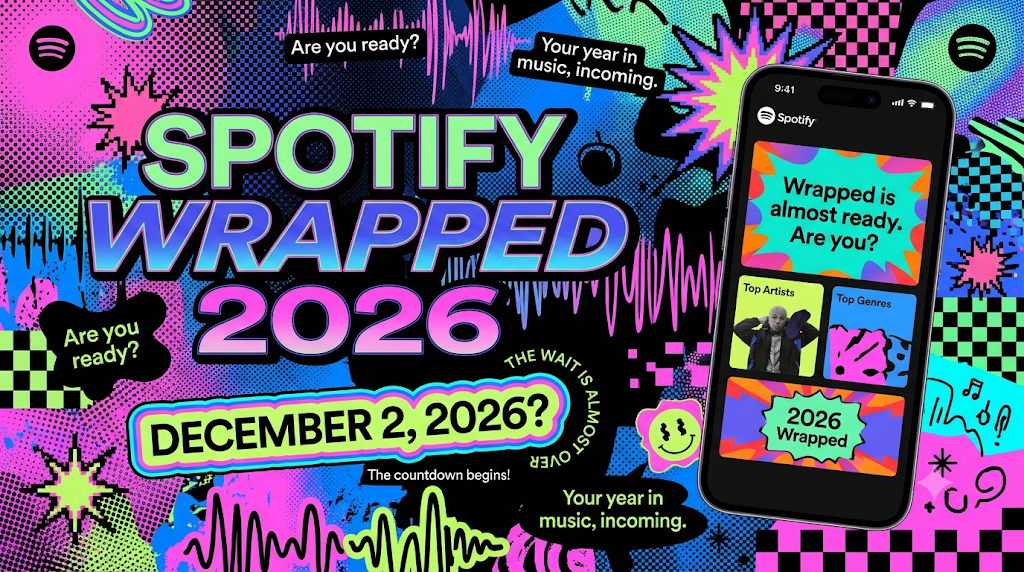
Spotify loves keeping the exact launch day under wraps until the very morning it drops, so there is no officially confirmed calendar date yet. However, if you look at the company’s track record over the last five years, the pattern is about as predictable as it gets.
Since 2021, Spotify has released Wrapped exclusively on a Wednesday—specifically, the last Wednesday of November or the first Wednesday of December, lining up with the Wednesday right after U.S. Thanksgiving.
Here is how the last five years played out:
| Wrapped Edition | Official Launch Date | Day of the Week |
| Spotify Wrapped 2021 | December 1, 2021 | Wednesday |
| Spotify Wrapped 2022 | November 30, 2022 | Wednesday |
| Spotify Wrapped 2023 | November 29, 2023 | Wednesday |
| Spotify Wrapped 2024 | December 4, 2024 | Wednesday |
| Spotify Wrapped 2025 | December 3, 2025 | Wednesday |
With U.S. Thanksgiving falling on November 26 this year, Wednesday, December 2, 2026 is the strongest bet for the Spotify Wrapped 2026 release date. If Spotify decides to surprise listeners a week early, Wednesday, November 25, 2026 is the only other realistic window.
What time does it actually show up?
Historically, Wrapped begins rolling out in the morning (U.S. Eastern Time), which means listeners in India typically start seeing the banner pop up on their home screens by late afternoon or early evening IST. Because it rolls out in waves to millions of accounts, don’t panic if your friend gets theirs two hours before you do.
2. The Truth About the Spotify Wrapped 2026 Cutoff Date
For years, a stubborn internet myth claimed that Spotify stops counting your streams on October 31. That used to be loosely true way back in the early days of Wrapped, and people still repeat it every autumn.
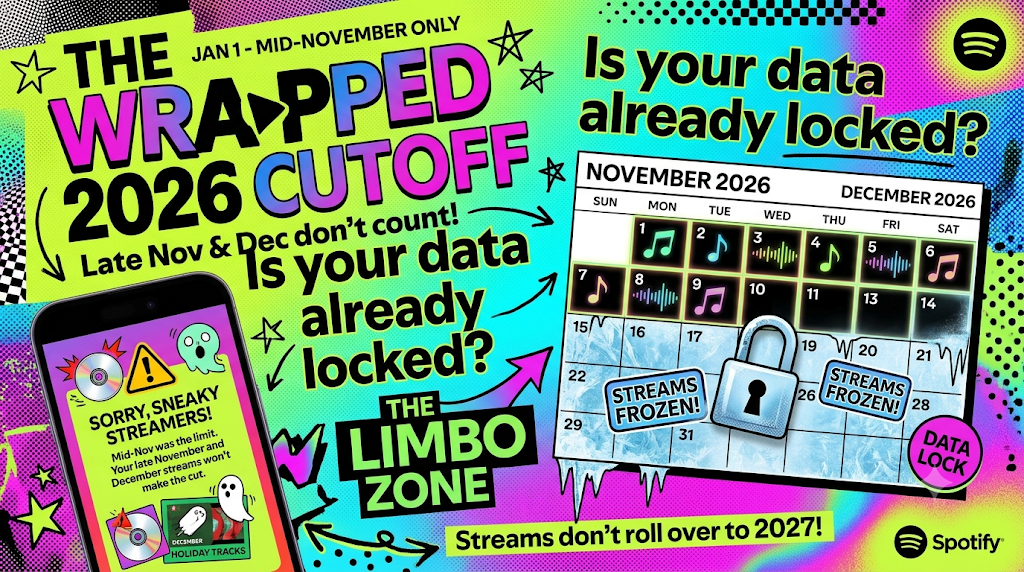
The reality? Spotify officially put that rumor to bed years ago, confirming that tracking continues well past Halloween. While the company never publishes an exact timestamp for the Spotify Wrapped 2026 cutoff date, its recent pattern shows that listening data is collected from January 1 through mid-November.
Here is what that means for your listening habits right now:
- Late November and December sit in “limbo”: Once Spotify freezes the database in mid-November to crunch the numbers, generate your custom graphics, and build your Top Songs playlist, anything you stream in late November or December won’t appear in Wrapped 2026.
- Those streams don’t roll over to 2027: Your December holiday playlists and end-of-year obsessions fall into the gap between two Wrapped cycles. Honestly, that’s probably a blessing—nobody wants Mariah Carey or a random New Year’s Eve party track hijacking next year’s stats.
- Last-minute streaming sprints rarely work anymore: If you were planning to loop your favorite indie artist overnight on November 28 to push them into your Top 5, you are almost certainly too late. Your best move right now isn’t trying to inflate new numbers—it’s cleaning up the data that’s already there.
3. How to Clean Up Your Taste Profile (and the Loophole Most People Miss)
If you’ve ever stared at your Wrapped Top 5 in horror because a lo-fi study playlist, a gym hype track you now hate, or a 3 AM rain-sounds loop beat out your actual favorite artist, Spotify’s Taste Profile controls are your best friend.
You used to only be able to exclude entire playlists, which wasn’t always helpful when a single guilty-pleasure song ruined your vibe. Thankfully, Spotify expanded this feature so both Free and Premium users can exclude individual tracks as well as full playlists across iOS, Android, Desktop, and Web.
Step-by-Step: How to Exclude Songs from Spotify Wrapped
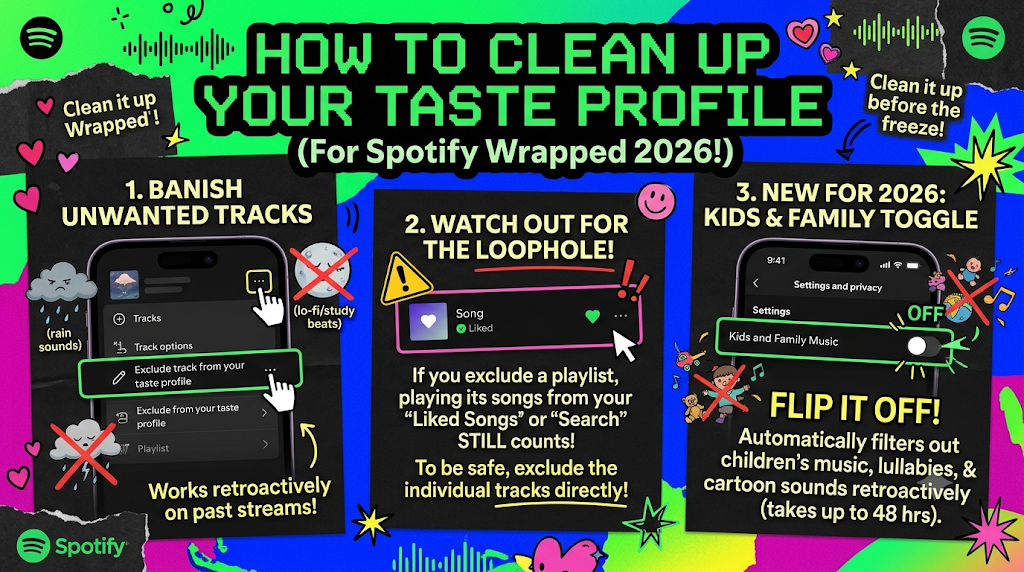
- Open the Spotify app and navigate to the specific track or playlist you want to banish from your stats.
- Tap the three dots (
...) menu next to the song or near the top of the playlist. - Select “Exclude track from your taste profile” (for a single song) or “Exclude from your taste profile” (for a playlist).
- If you ever change your mind later, just repeat the steps and tap “Include in your taste profile”.
The best part? Excluding a track or playlist doesn’t just block future streams—it works retroactively on past listening history, pulling those streams out of your recommendations and your Wrapped recap.
Two Common Mistakes That Can Ruin Your Cleanup
Before you assume your Taste Profile is spotless, watch out for these two traps:
- The Playlist Loophole: If you exclude a playlist (say, “Deep Focus Study”), any streams played from inside that playlist are ignored. However, if you play one of those exact same songs from your Liked Songs, Search, or another playlist, those streams still count toward your Taste Profile. To block a song completely, exclude the individual track itself.
- Hiding or Snoozing Doesn’t Work: Tapping “Hide song” or “Snooze” only stops a track from playing in a specific playlist or temporarily pauses it. Neither option removes past streams from your Taste Profile or Wrapped.
4. The New Kids & Family Music Toggle You Should Flip ASAP
If you share your Spotify account with family members, drive kids to school, or occasionally play nursery rhymes and animated movie soundtracks on a smart speaker, you know the pain of having Cocomelon or Frozen sitting right next to your favorite hip-hop or indie rock artists.
Starting September 15, 2026, Spotify began rolling out a dedicated Kids and Family Music toggle inside the mobile app.
Here is why it’s a game-changer ahead of Wrapped:
- One switch handles everything: Instead of hunting down fifty different lullabies and cartoon soundtracks one by one, flipping this toggle off automatically filters kids’ and family music out of your recommendations and stops it from taking over your Wrapped Top Songs and Top Artists.
- It works retroactively: Just like Taste Profile exclusions, turning off the toggle cleans up earlier streams too—though Spotify notes it can take up to 48 hours for the changes to fully process.
- Where to find it: Tap your profile picture in the top-left corner of the Spotify mobile app, head into Settings and privacy, and look for the Kids and Family Music setting. If you haven’t toggled it yet, do it today so the 48-hour processing window finishes well before Wrapped locks in.
5. Eligibility Rules, App Prep & What’s Coming in Wrapped 2026
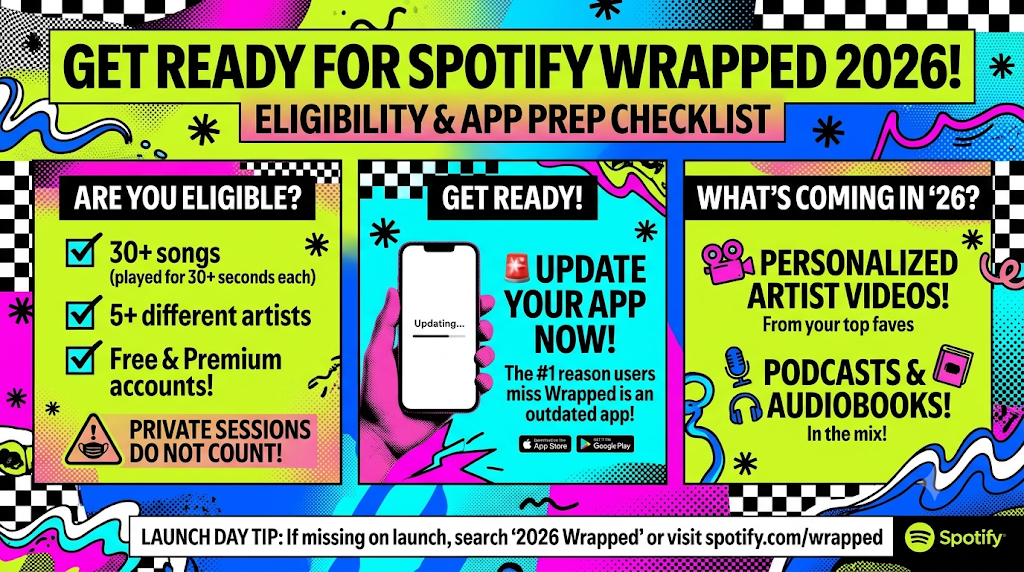
You don’t need a paid subscription to join the fun—Spotify Wrapped is available to both Free and Premium listeners. Still, every year a handful of users wake up on launch day and wonder why their recap isn’t showing up.
To make sure your account is ready when the Spotify Wrapped 2026 release date arrives, run through this quick checklist:
- Meet the minimum listening threshold: Based on recent eligibility rules, you need to have streamed at least 30 songs for longer than 30 seconds each across at least five different artists during the year. Skipping through tracks in the first 10 seconds doesn’t register as a valid stream.
- Remember Private Session rules: Any listening you did while Private Session was turned on is completely invisible to Wrapped and does not count toward your total minutes or minimum eligibility.
- Update your mobile app now: Wrapped is primarily built as a mobile-first interactive experience on iOS and Android. An outdated app is the #1 reason the Wrapped banner fails to appear on launch day. Head to the App Store or Google Play Store and install the latest update.
- Expect personalized artist videos again: Spotify gave artists until November 6, 2026, to upload short thank-you clips through Spotify for Artists, which confirms that personalized video messages from your top musicians are returning this year.
- Podcasts and audiobooks are in the mix: Alongside your top tracks, genres, and total minutes listened, Wrapped continues to spotlight your top podcasts and audiobook listening time.
When launch day finally hits, open the app and look for the Wrapped feed banner right at the top of your Home screen. If it’s hiding, simply type “2026 Wrapped” into the in-app search bar or visit [spotify.com/wrapped](https://spotify.com/wrapped) on your phone’s browser to jump straight into the story.
Frequently Asked Questions (FAQs)
1. When is the Spotify Wrapped 2026 release date?
Spotify has not officially announced a fixed date yet, but every edition from 2021 through 2025 launched on the Wednesday immediately following U.S. Thanksgiving. That makes Wednesday, December 2, 2026 the most likely release date, with Wednesday, November 25, 2026 as a possible early window.
2. What is the Spotify Wrapped 2026 cutoff date?
Spotify does not stop tracking on October 31. While the exact day isn’t published, Spotify tracks listening from January 1 until mid-November. Streams from late November and December are not included in Wrapped 2026 and do not carry over to next year.
3. How to exclude songs from Spotify Wrapped?
Open the track or playlist you want to remove, tap the three-dot menu (...), and select “Exclude track from your taste profile” or “Exclude from your taste profile”. This applies retroactively to past streams and keeps those songs out of your Wrapped results.
4. Can Free Spotify users get Spotify Wrapped 2026?
Yes. Both Free and Premium Spotify subscribers receive a personalized Wrapped experience, provided they meet the basic listening eligibility requirements (streaming at least 30 tracks for over 30 seconds each across five or more artists).
5. Why can’t I see my Spotify Wrapped when it drops?
First, update your Spotify mobile app to the latest version on iOS or Android. If the banner still isn’t on your Home screen, search “Wrapped” directly in the app. Because Spotify rolls the feature out gradually over several hours, giving it a little time usually solves the issue.
Ready for Your 2026 Soundtrack Reveal?
At its core, Spotify Wrapped was never meant to be a competition over who has the coolest underground taste. It is a chaotic, weirdly honest time capsule of your entire year. Whether your top five ends up packed with stadium pop anthems, 3 AM comfort tracks, or that one song you replayed forty times during a brutal week in April, your listening history captures the version of you that lived through 2026.
Still, there is zero shame in doing a quick two-minute cleanup before the numbers freeze for good. Update your Spotify app today, sweep any sleep sounds or accidental loops out of your taste profile, and flip that Kids and Family Music switch if you share your speakers with anyone else. Once launch day arrives—likely right around the start of December—you will actually get Wrapped stats that reflect the artists you chose to obsess over, not the background audio you forgot to pause.
Bookmark this page and swing back on drop day for live updates on every new Spotify Wrapped 2026 feature and viral trend taking over social feeds. Before you go, tell us in the comments: which artist is locked in for your #1 spot this year, and which guilty-pleasure track are you secretly praying misses the cut? Further, as the trend of Spotify wrapped takes over the internet , here is an inkontrend article of some other trends which the GenZ happen to follow in music and daily lifestyle.


