

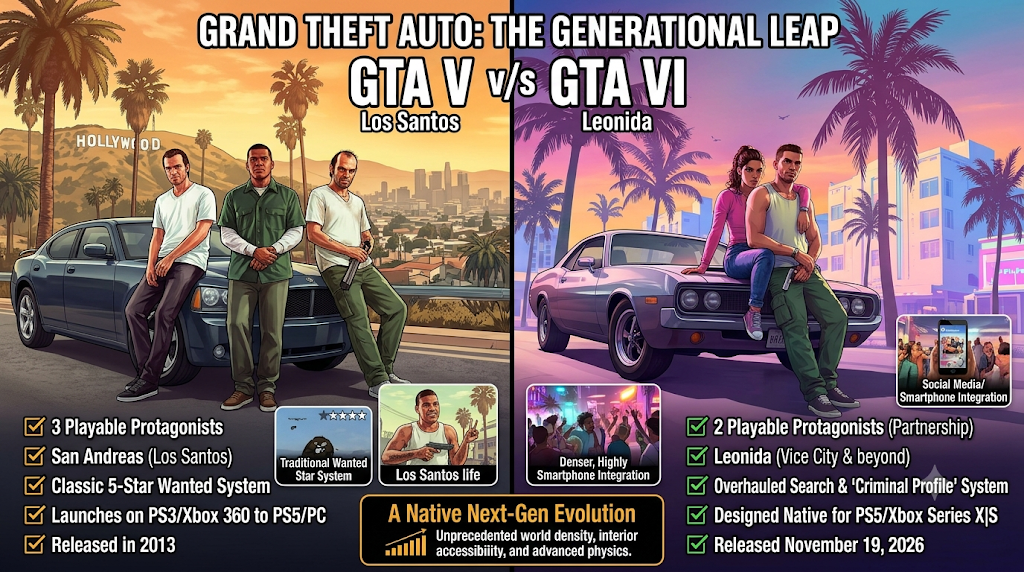
After more than a decade of wild rumors, frame-by-frame trailer breakdowns, and endless waiting, Rockstar Games finally opened the gates to GTA 6 on November 19, 2026. Within the first three hours of release, more than 7.88 million concurrent viewers packed into YouTube, Twitch, and Kick streams just to catch a glimpse of Jason Duval and Lucia Caminos tearing through modern-day Vice City of GTA 6. Even a few Indian workplaces reportedly declared launch day a holiday so staff wouldn’t call in “sick” at midnight.
If you haven’t started downloading the game yet—or if you held off until the weekend to see whether servers survived the initial rush—stop for five minutes before clicking that install button. A release of this sheer scale comes with massive file sizes, strict firmware checks, and a few sneaky surprises that have already tripped up thousands of players since midnight.
This GTA 6 launch guide walks through five practical checks you should run on your console, account, and broadband connection right now. Taking ten minutes to sort these out upfront can easily save you an entire evening of error codes, stalled progress bars, and frantic storage cleanups.
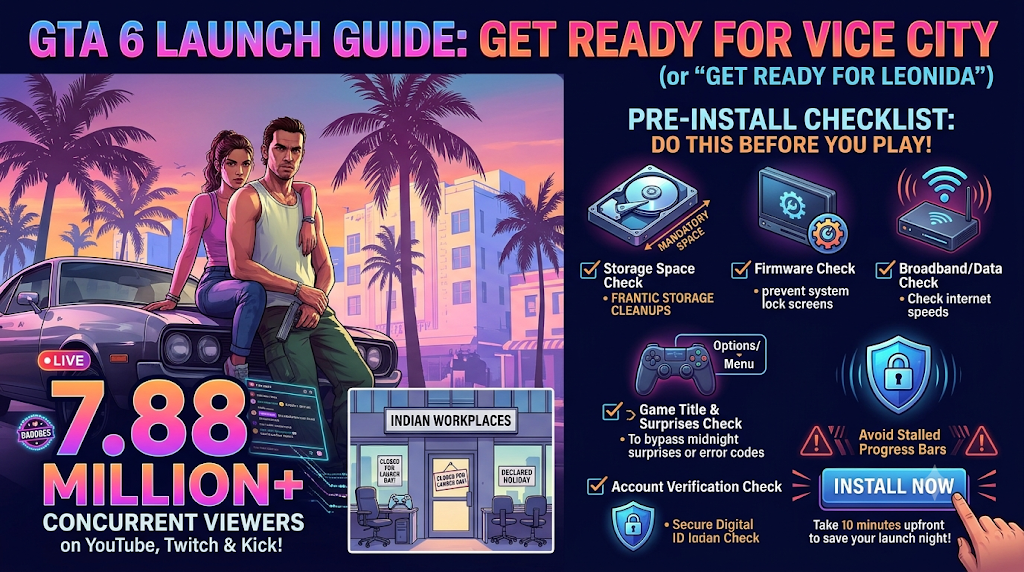
Table of Contents
1. Check Your Console Storage (And Leave Extra Breathing Room)
Let’s start with the elephant sitting right inside your living room: file size. Rockstar’s official support page lists an available storage requirement of up to 212 GB, depending on which console you own. On paper, that already makes GTA 6 one of the heaviest single downloads ever pushed to a home console.
In practice, clearing exactly 212 GB is cutting it way too close. Consoles need extra overhead to unpack compressed archives, manage temporary caches, and grab follow-up patches without choking. Rockstar already rolled out two pre-launch updates ahead of GTA 6 release—a roughly 1 GB update on November 13, followed by version 01.002.001, which weighs about 602.5 MB on PlayStation 5 and around 1.6 GB on Xbox Series X|S.
To keep your GTA 6 installation smooth, aim to free up 240 GB to 260 GB before starting. That hurts most if you own a standard 512 GB Xbox Series S, where this single title swallows well over half your usable internal drive.
Actionable storage pointers before downloading:
- Audit your forgotten heavyweights: Open Settings > Storage on PS5 or Settings > System > Storage devices on Xbox. Older 100 GB live-service shooters you haven’t touched in six months are the easiest wins.
- Clear out Media Gallery clutter: Years of accidental 4K trophy clips and screenshots quietly eat 30 GB to 50 GB on PS5. Delete old captures or back them up to a USB thumb drive.
- Archive, don’t always uninstall: You can’t run native current-gen titles directly off a standard external USB hard drive, so move older PS4 or Xbox One games—or cold-store current-gen games you aren’t playing right now—onto external storage to clear space on your internal SSD.
- Verify your M.2 NVMe slot (PS5): If you previously installed an internal M.2 expansion drive on your PS5, double-check that your default installation location is pointed at the drive with the most room.
2. Confirm Platform Support and Dodge Fake PC Download Scams
Every giant gaming release brings out two groups of unlucky people: folks who accidentally buy a digital gift card or code for an unsupported console, and PC gamers desperately hunting for a workaround that doesn’t exist.
Rockstar Games built GTA 6 strictly for current-generation hardware. Right now, the only supported platforms are PlayStation5 (including the PS5 Pro) and Xbox Series X|S. Older PlayStation 4 and Xbox One consoles are completely out of the picture.
More importantly for India’s huge desktop gaming crowd: there is no PC version available right now. Rockstar has not announced a PC launch window, and the title is not listed on Steam, the Epic Games Store, or the Rockstar Games Launcher. Predictably, scammers have wasted zero seconds filling YouTube comments, Telegram groups, and shady blogs with “early PC torrent,” “leaked dev build,” and “Android APK” links. Every single one of those files is malware or adware dressed up with stolen trailer thumbnails.
It also pays to set realistic visual expectations based on your specific box before spending ₹5,999 or more. Technical breakdowns show the game targets 30 frames per second across all consoles. Base PS5 and Xbox Series X upscale from 1440p to 4K, PS5 Pro uses Sony’s PSSR2 upscaling alongside extra ray-traced shadow detail, and Xbox Series S relies on AMD FSR scaling from 720p to 1080p due to its tighter 10 GB memory pool.
Platform and safety pointers:
- Stick exclusively to official storefronts: Only purchase and download through the PlayStation Store, the Microsoft Xbox Store, or authorized retail partners.
- Ignore “GTA 6 PC beta” or “mobile APK” downloads: No official PC or mobile client exists, regardless of how convincing a YouTube video looks.
- Check your TV or monitor HDMI settings: Make sure your console’s display output matches your screen’s native resolution and HDR capabilities so Vice City’s neon nightscapes don’t look washed out.
- Keep your expectations realistic on Series S: The smaller Xbox runs the full experience, just at a softer internal resolution than its pricier siblings.
3. Install Mandatory Console Firmware and Day-One Patches
Nothing kills launch-night hype faster than finishing a massive download, clicking Play, and getting slapped with a system lock screen. Sony threw an unusual curveball right before launch that caught plenty of PS5 owners off guard.
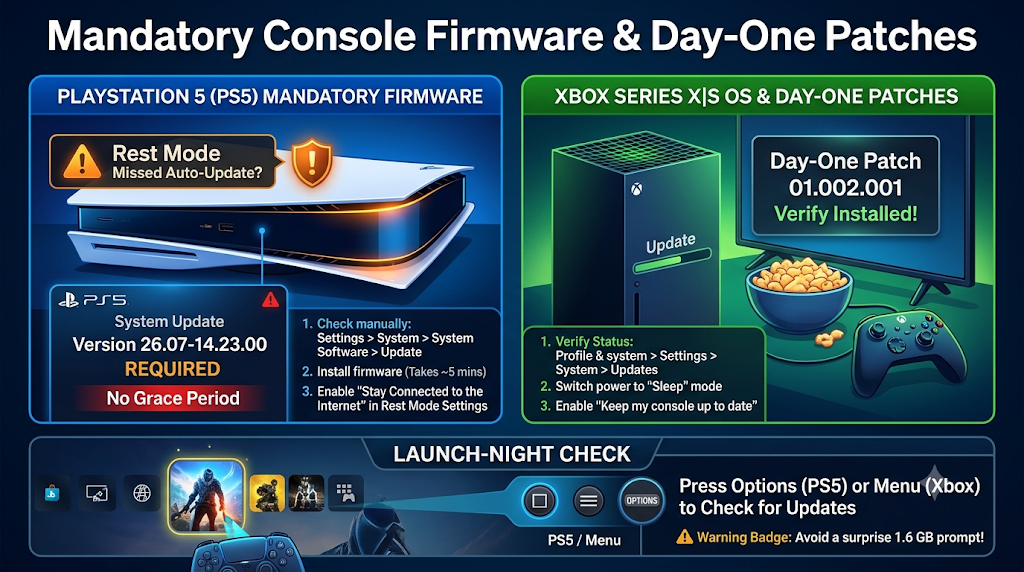
PlayStation Support confirmed that launching GTA 6 requires PS5 system software version 26.07-14.23.00, a roughly 1.3 GB console firmware update. Normally, Sony gives players a short grace window where older firmware still launches newly downloaded games offline. Not this time—there is zero grace period, and you also need that exact update for online console features. Even trickier, testing by tech outlets revealed that several base PS5 consoles left in Rest Mode didn’t automatically grab the firmware.
Xbox Series X|S owners have slightly less friction. Microsoft pushed a console OS update on November 13, and while it isn’t strictly required to boot the game, installing GTA 6 beforehand eliminates avoidable OS conflicts. On both platforms, you also want to verify that Rockstar’s day-one patch (01.002.001) has finished downloading alongside the base files.
Update pointers to run right now:
- Manually check PS5 firmware: Head to Settings > System > System Software > System Software Update and Settings and force an update check. Installing
26.07-14.23.00takes around five minutes once downloaded. - Verify Xbox system status: Go to Profile & system > Settings > System > Updates and clear any pending console OS installs.
- Turn on automatic updates: Enable Stay Connected to the Internet and Auto-Download under Rest Mode settings on PS5, or switch your Xbox to Sleep power mode with automatic updates ticked on.
- Check the game tile before launching: Highlight the game icon, hit Options (PS5) or the Menu button (Xbox), and check for updates so you aren’t hit with a surprise 1.6 GB prompt right as you sit down with snacks.
4. Double-Check Your Edition, Boxed Copy Rules, and Account Login
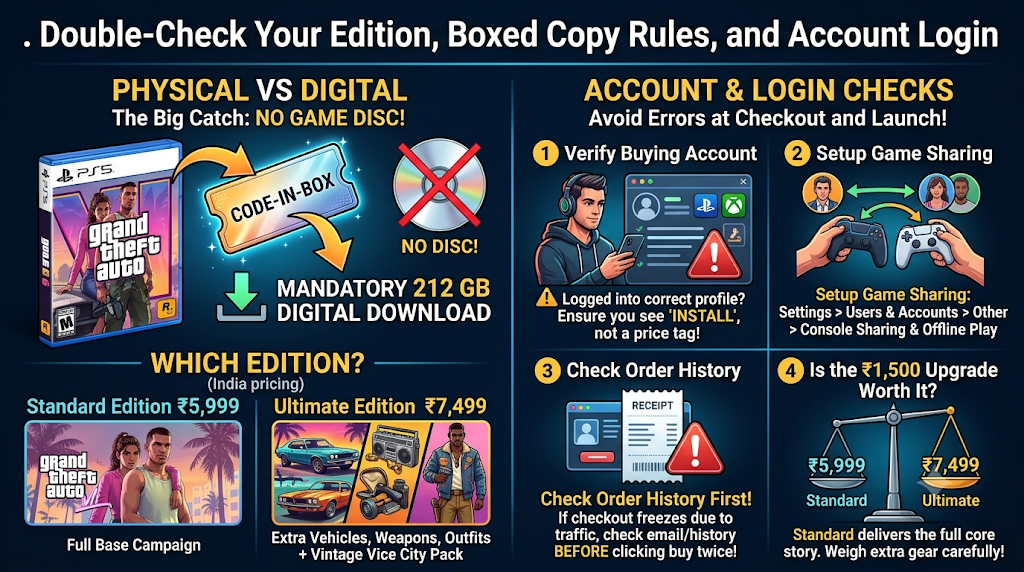
A lot of readers following this GTA 6 launch guide are still torn between digital downloads and picking up a retail box from a local game shop or online retailer. Here is the single biggest catch catching retail buyers off guard: the physical boxed editions for both PS5 and Xbox Series X|S do not include a game disc.
Read that again before you drive across town thinking a disc will spare your slow home Wi-Fi. Both PlayStation and Rockstar confirmed that boxed copies ship as code-in-box packages. You still get a display case for your shelf, sure, but inside sits a voucher code that triggers the exact same 212 GB digital download.
Then there is the edition split. In India, the GTA 6 Standard Edition is priced at ₹5,999, giving you the full base campaign set across Leonida. The GTA 6 Ultimate Edition sits at ₹7,499 and adds a bundle of extra vehicles, weapons, and outfits woven across Jason and Lucia’s storyline. Digital buyers who grabbed eligible early offers also picked up perks like the Vintage Vice City Pack and a one-month GTA+ trial, though promotional cutoffs around November 20 mean you should check the exact store listing before paying.
Account and purchase pointers:
- Confirm the buying account: Always check that you are signed into the exact PlayStation Network or Microsoft account that made the purchase or redeemed the box code. Logging into a secondary profile makes the store display a price tag instead of an Install button.
- Fix household game sharing early: Sharing one PS5 with family or roommates? Turn on Console Sharing and Offline Play under Settings > Users and Accounts > Other so everyone on the console can boot the game.
- Check order history before retrying payment: If heavy storefront traffic freezes checkout and the store still shows a buy button, check your email receipt and transaction history before clicking purchase twice.
- Weigh ₹1,500 carefully: Unless you love starting single-player campaigns with bonus garage rides and gear, the ₹5,999 Standard Edition delivers the full core story without missing any main missions.
5. Test Your Internet Speed, Data Cap, and Background Settings
Pulling over 212 GB across a residential internet line is a real endurance test for your router—and your patience. Do the quick math before hitting Download:
- On a 50 Mbps connection, downloading 212 GB takes roughly 9.5 to 10 hours at peak speed.
- On a 100 Mbps fiber plan, expect about 4.5 to 5 hours.
- On a 300 Mbps connection, you can still plan on 90 minutes to 2 hours, assuming console servers aren’t throttling speeds.
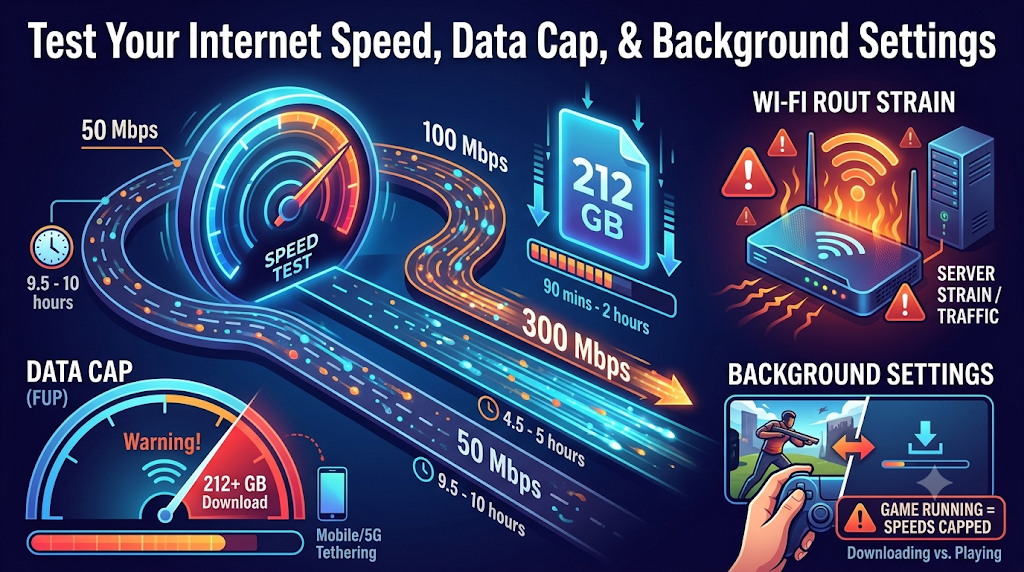
And server strain is very real right now. PlayStation warned players about heavy launch demand, and PS5 users already ran into brief PlayStation network hiccups around November 19. If your broadband plan has a strict monthly Fair Usage Policy (FUP) cap—or if you’re tethering over 5G mobile data—a 212 GB download plus patches can chew through a huge slice of your monthly allowance in one afternoon.
Even on fast fiber, one overlooked console habit slows downloads to a crawl: playing another game while downloading. Both PS5 and Xbox aggressively cap background network speeds whenever any game is actively running, even a lightweight offline indie title.
Network pointers for faster, trouble-free downloads:
- Plug in an Ethernet cable: Even a cheap Cat6 LAN cable from your router to the console eliminates Wi-Fi interference and stabilizes download speeds noticeably.
- Quit every open game completely: Don’t just minimize to the home screen—fully close running apps, or leave the console in PS5 Rest Mode / Xbox Sleep Mode overnight so it downloads at full tilt.
- Pause 4K streaming on other devices: Ask roommates or family to hold off on heavy downloads or multiple 4K streams during peak download hours.
- Know the quick queue fix: If your progress bar freezes at 0% or stalls mid-way, open Downloads/Uploads on PS5 (or My games & apps > Manage > Queue on Xbox), hit Pause, wait ten seconds, and select Resume. Checking official Rockstar, PlayStation, or Xbox server status pages on your phone also tells you immediately whether the issue is on your end or theirs.
| Check Item | PlayStation 5 / PS5 Pro | Xbox Series X | Xbox Series S |
| Minimum Official Storage | Up to 212 GB (keep 240+ GB free) | Up to 212 GB (keep 240+ GB free) | Up to 212 GB (keep 240+ GB free) |
| System OS Requirement | Mandatory firmware 26.07-14.23.00 (~1.3 GB) | Nov 13 OS update recommended | Nov 13 OS update recommended |
Latest Day-One Patch (01.002.001) | Approx. 602.5 MB | Approx. 1.6 GB | Approx. 1.6 GB |
| Visual Output & Frame Target | 1440p to 4K upscale (PSSR2 on Pro), 30 fps | 1440p to 4K upscale, 30 fps | 720p to 1080p FSR upscale, 30 fps |
| Retail Physical Box | Download code only (no disc) | Download code only (no disc) | Download code only (no disc) |
Frequently Asked Questions (FAQs)
1. How much free space do I actually need before downloading GTA 6?
Rockstar officially states the download requires up to 212 GB of free space depending on your console. However, clearing 240 GB to 260 GB is much safer because your console needs extra room to unpack installation data and apply day-one updates like version 01.002.001 smoothly.
2. Can I download and play the game on PC, PS4, or Xbox One?
No. As of launch, Rockstar Games released the title exclusively for PlayStation 5 and Xbox Series X|S. Older PS4 and Xbox One consoles are not supported, and no official PC release date has been announced. Avoid any third-party site claiming to offer a free PC installer or mobile APK.
3. If I buy the boxed retail copy from a store, do I still need to download 212 GB?
Yes. Retail boxed versions for both PS5 and Xbox Series X|S are code-in-box releases rather than physical discs. Once you redeem the voucher inside the box on your console storefront, your system downloads the complete game over your internet connection.
4. Why won’t GTA 6 open on my PS5 even after finishing the full install?
The most common culprit is missing Sony’s mandatory PS5 system software update 26.07-14.23.00. Because Sony removed its usual grace period for this launch, your console will block the game until that 1.3 GB firmware finishes installing. Also verify that you are signed into the account that owns the license and that no pending game patch is paused in your queue.
5. What is the price difference between the Standard and Ultimate Editions in India?
In India, the GTA 6 Standard Edition sells for ₹5,999, while the GTA 6 Ultimate Edition is priced at ₹7,499. Both give you the entire Leonida single-player story featuring Jason and Lucia, while the Ultimate Edition layers in exclusive vehicles, weapons, and apparel bonuses.
Ready to Hit the Streets of Leonida?
Waiting years for Rockstar’s next open-world giant only to lose your first night to a missing 1.3 GB firmware patch or a maxed-out SSD feels brutal. Run through these five checkpoints—clear generous storage, stay away from fake PC downloads, force your system updates, confirm your account login, and wire up an Ethernet cable—and you’ll skip almost every headache hitting players right now.
Bookmark this GTA 6 launch guide on Ink On Trend if you’re helping a friend set up their console this weekend. Already exploring Vice City? Drop your console, download time, and first impressions in the comments below—we’d love to hear how smoothly your install went.


