

Introduction to Census 2027
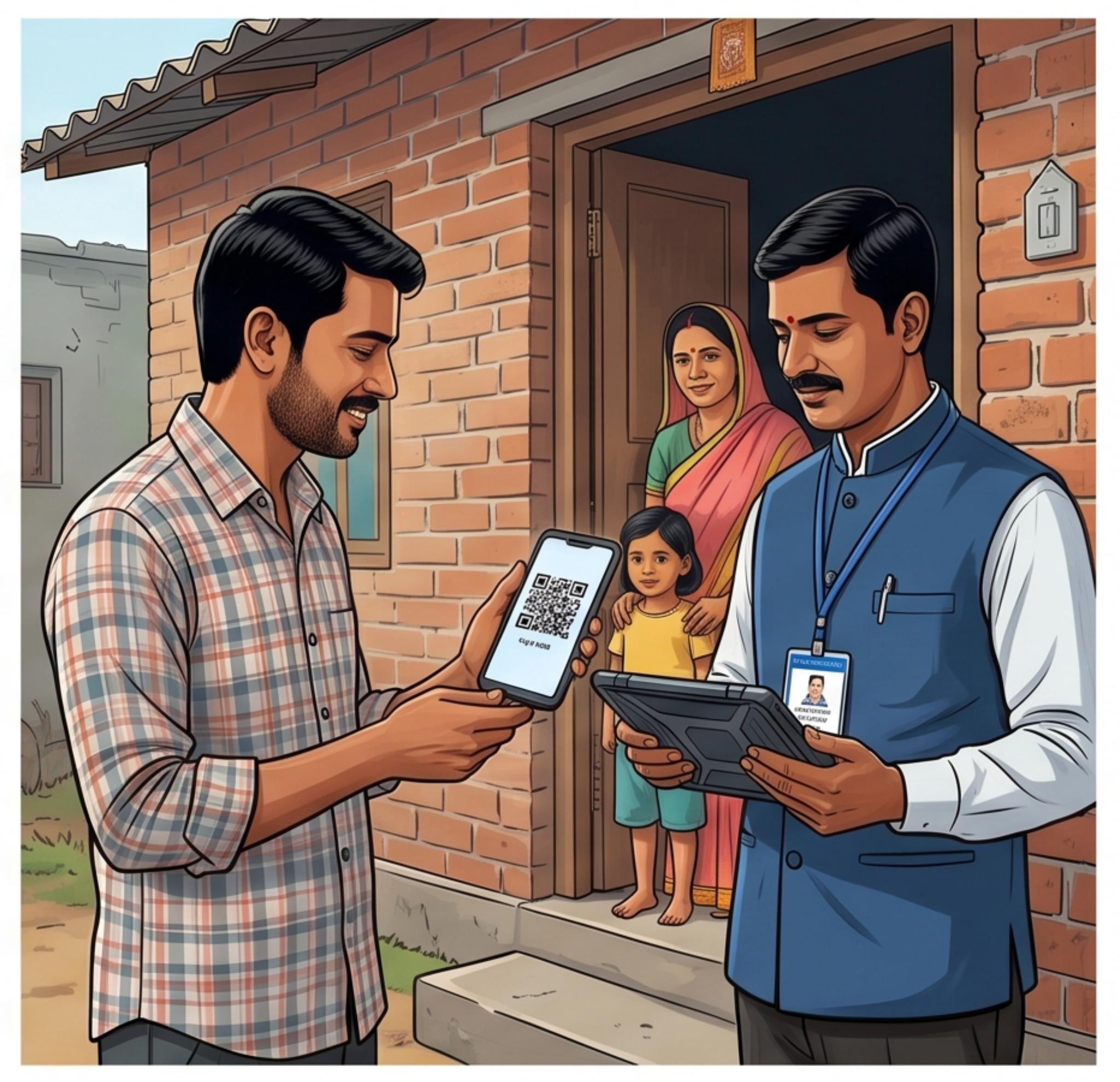
India is gearing up for its 8th census since its independence. This is going to be the world’s largest census exercise, with a focus on adopting self-enumeration. The goal of Census 2027 is to strengthen data security and streamline processes to ensure evidence-based policymaking. This census introduces new ways of collecting and managing data. It will include mobile-based data collection, near real-time monitoring through the Census Management and Monitoring System (CMMS), and extensive use of geo-referenced jurisdictions. The citizens of India will also get the facility to self-enumerate, and this is going to be the topic of our article today.

Table of Contents
- Introduction
- Is Census 2027 legal?
- How will the Census 2027 be conducted?
- What is self-enumeration?
- How to self-enumerate for Census 2027?
- Conclusion
- FAQs
Is Census 2027 legal?
Yes. Census 2027 is completely legal. It follows a proper administrative framework to ensure that uniform data is collected on the grassroots level. The Census Act 1948 and the Census Rules 1990 provide the legal foundation for the census. It is a Union subject under the seventh schedule of the Constitution. This allows the entire procedure to be carried out in close coordination with the state and union territory governments, leading to uniform data collection and seamless execution. Needless to say, the data collected is kept confidential.
How will the Census 2027 be conducted?
The Census 2027 will be conducted in two distinct phases.
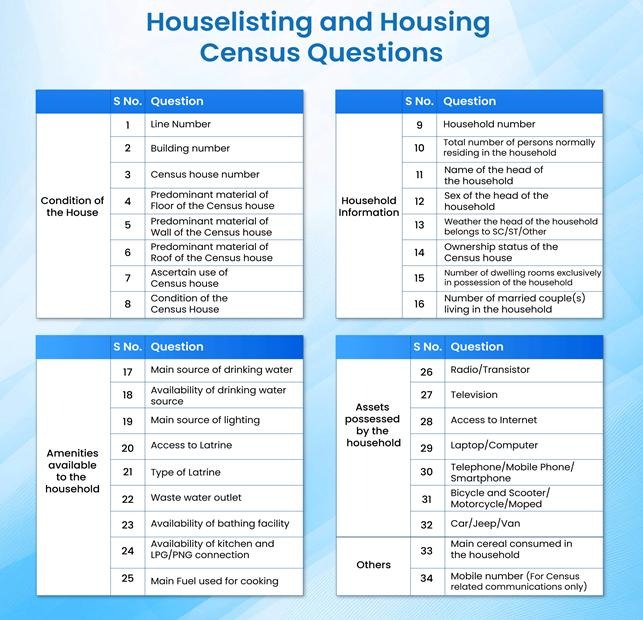
Phase 1 is the Houselisting and Housing Census 2027 (HLO). It is scheduled between April and September 2026. The State/UT governments can conduct the census within a period of 30 days. People will also get the option to self-enumerate 15 days before the House-to-House HLO work begins. The questions of the HLO phase are mentioned in the picture below
Phase 2 is the Population Enumeration Census 2027 (PE). It is scheduled for February 2027 and will build on the HLO data collected. The goal of PE is to gather useful data regarding demographic, socio-economic, cultural, migration, and fertility-related information of individuals across households. Further information about the PE census will be shared later.
What is self-enumeration?
Self-enumeration is a new feature for the Census 2027 being conducted in India. It is an optional feature that allows households to fill in their details independently. You can fill in the details on the official site: https://se.census.gov.in/. Self-enumeration has to be done before the Government official (the enumerator) visits your house.
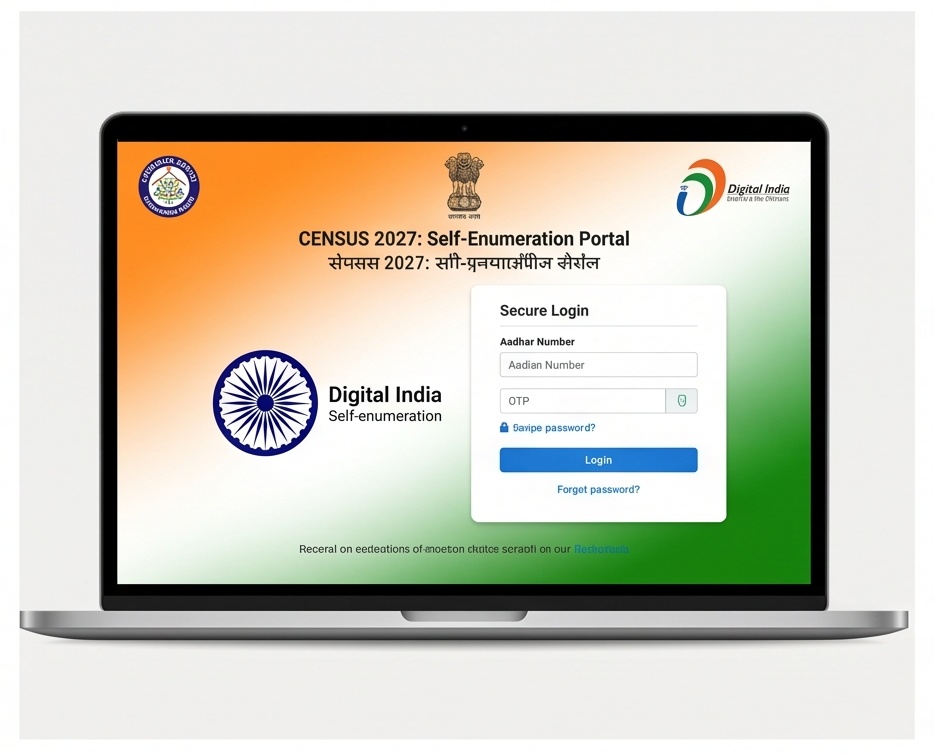
This is a voluntary process. You may choose to do this, but it is not necessary. The self-enumeration process in Census 2027 aspires to increase accuracy and ensure the privacy of the data. It will also save a lot of time for both the citizens and the government officials.
Key features of Self-enumeration in Census 2027:
Convenience: Citizens can fill in their household details as per their benefit. They don’t need to wait for the enumerator to arrive. They have the option to speed up the entire process.
Data security and privacy: Citizens get to fill in their details in a secure digital environment. The data is verified by the enumerator as well. This entire process ensures data is validated and stored privately.
Accessibility: The self-enumeration form can be filled out using 16 Indian languages.
Requirements: You will be required to fill out a 15 – 20 minute form covering 33 questions. The questions will range from house conditions, amenities, to the assets you own.
How to self-enumerate: A step-by-step guide
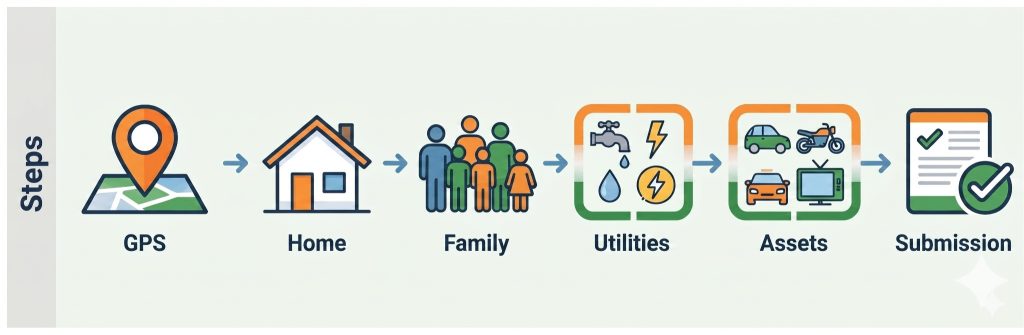
Follow the steps given below to self-enumerate for the Census 2027.
1. Open your browser and navigate to the following link: censusindia.gov.in.
2. Scroll down, and you will find an option named “Self-Enumeration.”
3. Click on the self-enumeration option.
4. You will be prompted to log in.
5. Enter your State or Union territory detail and captcha. Click on Verify and Proceed.
6. You will get a Welcome dialog box. Click OK. Now, you will be prompted to enter more details. The State/UT field will be pre-filled from step number 5.
7. Enter the name of the Head of your household. The head of a household can be someone who is the primary decision-maker and/or the sole breadwinner. Enter their mobile phone number. You can also enter their email address, but it is optional.
8. Click on Verify and Proceed.
9. An OTP will be sent to the registered mobile number. Enter that OTP. Select the language that you want to proceed with. Click on Verify OTP.
10. Now, you will get the main screen where you get to fill in your details.
11. For the first part, verify your state/union territory. Then, enter your district. Finally, enter your PIN code. Now, you have to choose the exact location of the house you live in on the map. Make sure that you pin the correct location, as the enumerators will verify the same. After choosing the correct location, verify it. Then, save and proceed.
12. A dialog box will appear; click Yes to proceed. You can click on No if you want to further verify the location and house details.
13. For the second part, you need to describe your house. The first three questions ask you about the primary material used to build your floor, walls, and roof, respectively. Choose the relevant option as per your need. Then, you need to describe the condition of your house. Choose the relevant option as per your house’s condition. Save and proceed.
14. For the third part, you need to fill in some general information. You need to tell the number of people, including senior citizens and children, living in the household. Fill in the name of the Head of the household. Also, fill in the name as per your chosen language. Then, you need to choose the gender of the household’s head. Choose your category. Then, choose the owner status of the household you are living in, whether it is your own, rented, or other. Now, you need to tell how many bedrooms are present in the household. Remember that this does not include storage rooms or the kitchen. Now, enter the number of married couples living in the household. Click on Save, Proceed, and Yes.
15. For the fourth part, you need to list the facilities available to members of the household. You need to mention the primary source of drinking water and its location with respect to the household. Choose accordingly. Now, choose the primary electricity source from which you get your power supply. After this, choose whether your household has a washroom available or not, and select the type of washroom – private, common, or public. Then, mention the sewage facilities available to you. Now, choose the bathing facilities available to you. Now, you get to choose the kitchen facilities available to you and the primary source of fuel for the same. Choose appropriately. Click on Save and Proceed. Then, choose Yes.
16. For the fifth part, you need to choose the assets your household has. Click on the radio/transistor facility that you have, and its mode of use. Choose the television facility available and the type of cable connection you have. Choose your internet service options. Choose the availability of a laptop/computer. Choose the availability of a mobile phone/smartphone. Choose the type of vehicle the household uses. Then, provide the primary grain/cereals consumed by the household. Click on Save and proceed, and then Yes.
17. Now, finally, for the sixth part, you will get a summary page. You can verify and review all the details that you have filled out. If you want to go back and change something, you can do that. You can save the current data in a draft format to be reviewed later. If you have verified everything, you can proceed to submit the form by clicking on the verify and submit button. Then, click on yes.
And there you go! Your self-enumeration form has been submitted.
After submission, you will get a confirmation dialog box. A special self-enumeration ID will be mentioned. You must make note of that ID. When the enumerator comes for the house visit, you will be required to present this SE ID.
Conclusion
The Census 2027 is a landmark exercise for India—not just in scale, but in how it embraces technology to make the process more accurate and citizen-friendly. Self-enumeration is a reflection of that shift. It puts the process in your hands, saves time, and ensures your data is recorded accurately. The steps are straightforward and take no more than 17 minutes. So go ahead and self-enumerate — and remember to note down your SE ID after submission, as you will need it when the enumerator visits your household.
Frequently Asked Questions (FAQs)
Q. Is self-enumeration mandatory for Census 2027?
A. No, self-enumeration is completely voluntary. It is an optional feature that allows households to fill in their details before the enumerator visits. However, if you choose to self-enumerate, it can save time for both you and the government official who visits your household.
Q. In how many languages can I fill out the self-enumeration form?
A. The self-enumeration form is available in 16 Indian languages. You will be prompted to choose your preferred language after entering your OTP.
Q. What happens after I submit the self-enumeration form?
A. After submission, you will receive a confirmation dialog box along with a unique Self-Enumeration ID (SE ID). You must note this ID down carefully, as you will be required to present it when the enumerator visits your house for verification.
Q.. Can I save the form midway and complete it later?
A. Yes. The form allows you to save your progress in a draft format. You can review and complete it at a later time before the final submission.
Q. What information will I need to fill out during self-enumeration?
A. The self-enumeration form covers 33 questions spread across six sections. These include details about your household’s location, the construction materials used for your floor, walls, and roof, the number of people living in the household, available facilities such as drinking water and electricity, assets owned by the household, and general information about the head of the household. The entire process is expected to take between 15 and 20 minutes.


